Checked by CouponSwift on : worked
Wplook Coupon & Promo Codes
Top Wplook Coupon Codes for October 2026
Expired Offers (May still work)
Checked by CouponSwift on : expired
About Wplook & Latest Deals
Service Highlights
- Best For
- Businesses
- Support
- Ticket Support
- Guarantee
- 14-Day Money Back
- Feature
- Fast Support
Coupon Insights
- Best Discount
- UP TO 10%
- Avg. Savings
- 10%
- Active Offers
- 2
- Verified
- 1
Get the latest Wplook coupons, promo codes, and deals. Verified and updated correctly.
Savings opportunities available through WPlook discount codes
WPlook sells WordPress themes; use the offers on this page to look for a lower purchase price. Buying one theme? Single themes start at $99 as of October 2026.
Eligible products and services
Service categories frequently on promotion
One theme or the collection. WPlook has 29 themes for nonprofits, businesses, agencies, bloggers and creatives. Documentation and demo content come with each theme, so include those in your theme-deal comparison.
Services usually excluded from promo codes
Start with your WordPress setup. WPlook themes require self-hosted WordPress. WordPress Multisite installations are compatible too. Lifetime Access allows use on unlimited websites. Choose a theme offer for that setup.
Factors influencing the final discount value
Impact of billing cycle on promotional price
Future themes count toward the membership's value. The All Theme Package includes new themes while your subscription is active. All 29 existing themes are included in the annual package. Factor those releases into the annual package price.
Promo codes vs. automatically applied offers
Lifetime Access changes the billing commitment. It is a one-time purchase, so compare a WPlook promo offer against that purchase rather than an annual subscription.
Accessing active codes for WPlook
Buying for several sites? The All Theme Package allows unlimited websites. Scroll up for the current WPlook offers.
How to use Wplook Discount Codes?
- 1Choose a couponGrab the Wplook offer that works best for you. It's listed above.
- 2Reveal the codeHit "Get Code" or "Get Deal" depending on the offer type. Popup opens. Click the copy icon inside—code goes to your clipboard.
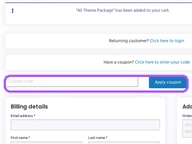
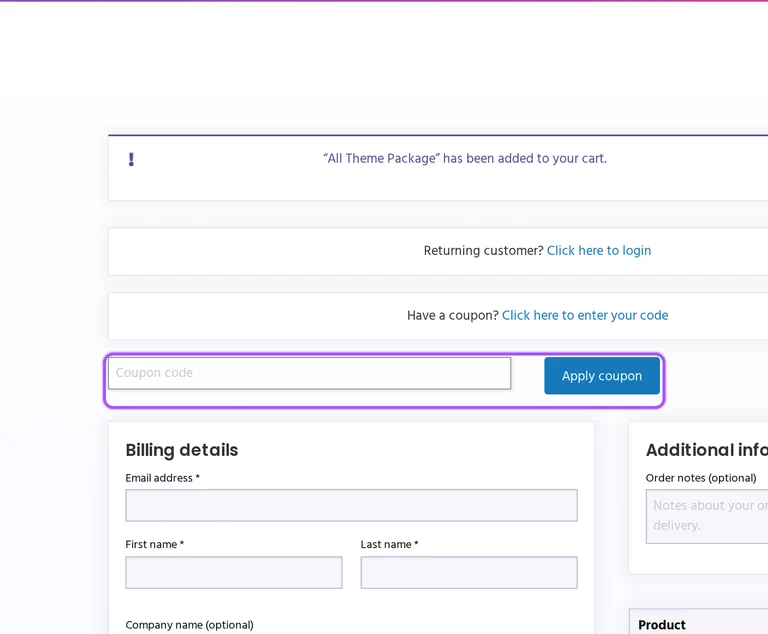
- 3Apply at checkoutNow head over to Wplook's site. Pick your Charity Themes plan. Checkout page has a "Promo Code" field. Paste what you copied there.
Customer Reviews
No ratings yet
Be the first to rate this store
Login to Rate & Review
Join our community to verify coupons, earn coins, and help others save.
Sign In / RegisterWplook Discount FAQs
$199 per year as of October 2026. The package includes child themes.
$699 as of October 2026. Lifetime Access gives permanent access to all themes, future releases, updates and support.
On your purchase anniversary. Products renew annually unless canceled, except Lifetime Access and HTML Templates.
At least 24 hours before renewal. Canceling after a charge does not make that payment refundable.
The first 14 days of service. Unsatisfied customers can request a refund by support ticket.
No. To receive a refund, delete all theme files and stop using the theme on every domain.
No. Upgrades and renewals are excluded from the refund policy.
Stripe or PayPal. These process theme and membership purchases.
You can keep using the themes after cancellation or expiry. Updates and support stop when your subscription ends.
No. Support covers common issues and bugs. Installation, customization services and third-party software or plugins are excluded.