50%OFF
Save 50% off one-time on THCServers Web Hosting Plan yearly.
Applies to: THCServers Web Hosting Plan
Used
4 offers listed
Save 50% off one-time on THCServers Web Hosting Plan yearly.
Applies to: THCServers Web Hosting Plan
Used
THCServers offers 10% off your dedicated servers, with plans starting at only $74.85/mo.
Used
Used
THCServers coupons and deals for shared, reseller, WordPress, VPS and dedicated web hosting.
THCServers sells shared, reseller, WordPress, VPS and dedicated web hosting; the offers on this page help you look for a lower purchase price. For shared hosting, the billing term already changes the monthly rate. Annual billing costs less per month than either a one-month or six-month term across Geek, Nerd, Techie and Freak. The shared-hosting range also keeps the same renewal price. That makes the term price relevant beyond the opening purchase.
THCServers offers Web Hosting, Reseller Hosting, Wordpress Hosting, Anonymous VPS and Dedicated Servers. Its domain options include Domain Search, Bulk Domain Search and Domain Transfer, alongside SSL Certificates. Web Design and SEO Services are also available. Web Hosting starts at $2.95 a month, Wordpress Hosting at $4.95, Anonymous VPS at $9.95 and Dedicated Servers at $74.85. These are separate product lines to distinguish when looking through the offers on this page: the shared-hosting term prices below belong to Geek, Nerd, Techie and Freak.
THCServers Geek costs $3.95 a month on a one-month term, $3.45 a month on a six-month term and $2.95 a month on an annual term. Nerd costs $5.95, $5.45 and $4.95 a month on those same respective terms. Techie costs $7.95 a month for one month, $6.95 a month for six months and $5.95 a month for one year. Freak costs $24.95, $22.95 and $19.95 a month respectively. All four therefore have three term-specific rates, rather than a single monthly price. The annual figures are monthly rates for a one-year term; the six-month figures correspond to six-month terms. The lower annual rate is a billing-term saving to distinguish from any separate promo-code reduction.
THCServers has an Apply Promo Code field in its shopping cart. The associated action is Validate Code. Enter an offer from the list in that field to request its application.
Copy a THCServers coupon or promo code, then paste it in the promo field at checkout.
Grab the THCServers offer that works best for you. It's listed above.
Hit "Get Code" or "Get Deal" depending on the offer type. Popup opens. Click the copy icon inside—code goes to your clipboard.
Now head over to THCServers's site. Pick your Web Hosting plan. Checkout page has a "Promo Code" field. Paste what you copied there.
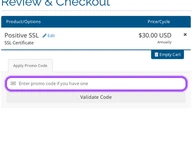
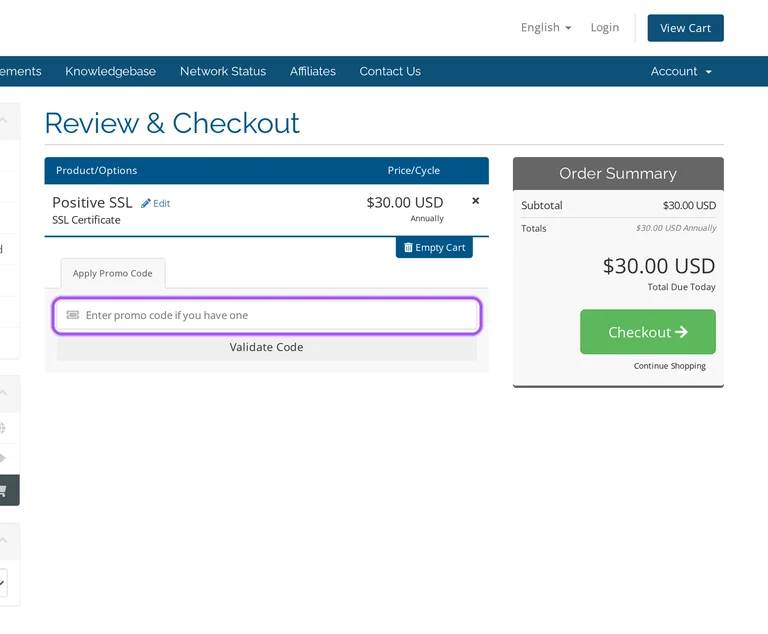
Scroll up for the current THCServers offers.
Valid discounts from brands similar to THCServers.


