Verified
Designmodo Coupon & Promo Codes
Best verified offer: 30% off · 6 offers · last checked 6 Nov
Active Designmodo coupon codes
Verified
Verified
Verified
Verified
Verified
Expired Offers (May still work)
About Designmodo & Latest Deals
Professional design services and tools.
Savings opportunities available through Designmodo discount codes
Designmodo sells email and web builders. They charge for Postcards and Startup plans ($16/mo+). It creates clean HTML without code. Don't code email tables by hand.
Service categories frequently on promotion
Postcards, Slides, and Startup. Our deals help you unlimited exports for half price. Validate the product. Some codes are product-specific (e.g., just for 'Startup'); ensure you are buying the right tool.
Services usually excluded from promo codes
Agency unlimited licenses are less frequently discounted. Marketplace goods are separate. Quality costs money. The direct-to-code export is the value; use our code to lower the subscription barrier.
Promo codes vs. automatically applied offers
Black Friday. Be careful. They run huge 40-50% sales in Nov. If the current date is close to BFCM, wait.
How to use Designmodo Discount Codes?
Copy a Designmodo coupon or promo code, then paste it in the promo field at checkout.
- Choose a coupon
Grab the Designmodo offer that works best for you. It's listed above.
- Reveal the code
Hit "Get Code" or "Get Deal" depending on the offer type. Popup opens. Click the copy icon inside—code goes to your clipboard.
- Apply at checkout
Now head over to Designmodo's site. Pick your Postcards plan. Checkout page has a "Promo Code" field. Paste what you copied there.
Designmodo Discount FAQs
Where should I request a refund for a discounted Designmodo purchase?
You can request a refund by contacting Designmodo support. Paid Plan customers receive email support through the helpdesk, and the refund help article provides a Contact Us option. The subscription guarantee applies within 30 days of the initial payment, subject to no template or feature use and no breach of the terms. Creating or exporting a template affects that eligibility, and consuming AI Credits also counts as feature use. AI Credit fees are non-refundable, including the credit portion of a Paid Plan subscription. Designmodo returns eligible refunds to the original payment method rather than a replacement payment destination. Recurring subscription payments are not refundable under its billing policy. For an initial subscription purchase, the relevant request window is 30 days from payment.
Can I switch a Designmodo subscription bought with a discount to another plan?
Designmodo lets you switch an existing subscription from your account. This provides a route to change the plan you bought through the offers on this page. Open the Subscription tab, press View, choose the desired plan, and then press Switch Subscription. The change requires completing checkout, which can show $0 or an updated price depending on the subscription change. Designmodo can charge the new plan in the next billing cycle or require payment of the difference immediately. The amount displayed during that change is therefore relevant to what you pay when switching. Available changes include upgrading, downgrading, and switching a subscription. The named control for submitting the selected plan change is Switch Subscription.
Can I request a refund if discounted Designmodo Postcards does not work as described?
You can ask Designmodo for a refund when Postcards does not work as described. Contact support with the details of the problem, including a problem using Postcards with your email platform. This product-specific refund route concerns how Postcards functions; the separate 30-day subscription guarantee has conditions concerning template and feature use. A refund cancels the license and also ends permission to use emails created under that license. Before purchasing, Postcards has a free plan for trying the builder and its exported HTML. That plan includes 10 template projects and five exports per month, giving you a concrete way to assess the export workflow before a paid commitment. The free plan’s export allowance is five emails per month.
How do I cancel a discounted Designmodo subscription before renewal?
You can cancel a discounted Designmodo subscription from your account before its next billing date. Subscriptions renew automatically unless canceled, and Designmodo does not refund recurring subscription payments. In your account, open the Subscription tab, press View for the relevant app, and then press Cancel. A confirmation message appears after cancellation, and the app remains available until the subscription expires. Connected add-ons, including Additional Teammate seats or Additional Websites for Slides, follow the main subscription’s cancellation and remain active through the current billing cycle. You do not need to cancel those connected subscriptions separately. If you decide to continue the subscription, the account provides a Reactivate button. The deadline for preventing another charge is the next billing date.
Where do I enter a Designmodo coupon for Postcards?
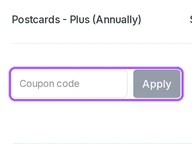
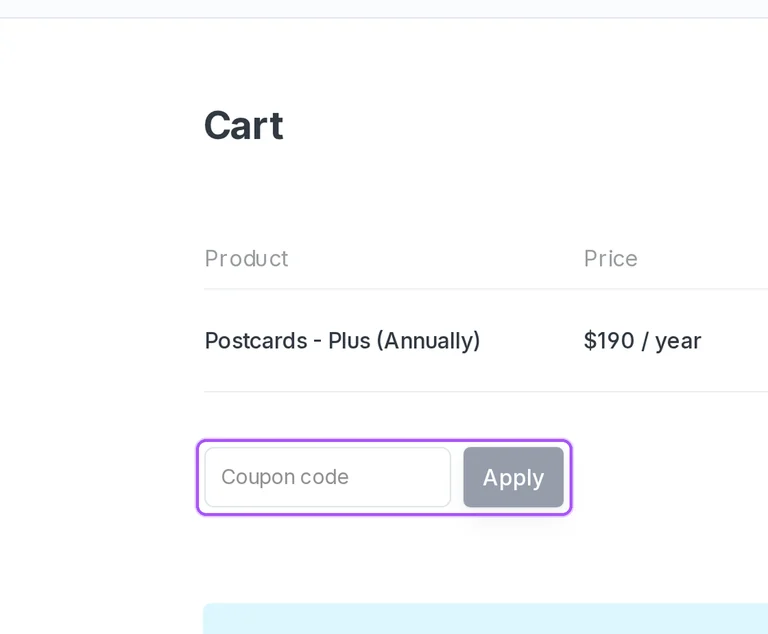
Designmodo provides a coupon field in the Postcards cart. The annual Plus order is identified as Postcards - Plus (Annually), so the selected product and billing term are visible before payment. Enter an offer from the offers on this page in the field labeled Coupon, then press Apply. The cart includes a Cart totals area with separate Subtotal and Total lines, followed by Proceed to checkout. An annual Plus order shows a $190 yearly subscription amount before a coupon reduction. This is a yearly billing commitment, even though the pricing comparison also displays a monthly equivalent. Designmodo’s fees exclude applicable taxes. The specific place to enter the offer is Coupon, and the button beside it is Apply.
Can I keep using emails after a refund on discounted Designmodo Postcards?
You cannot keep using emails covered by a refunded Postcards license. A refund cancels the license, including the permission covering emails created under it. This matters when requesting a refund because the exported files and the right to use them are separate considerations. Postcards allows exported HTML files to be opened and edited offline, but its refund rule still ends permission to use the emails covered by the canceled license. Refund requests for Postcards not working as described go to support with details of the issue. For assessing the workflow before buying through the offers on this page, the free plan provides 10 template projects and five exports per month. That five-export allowance lets you examine exported HTML before purchasing a paid license.
Does Designmodo offer an annual subscription discount for Slides?
Designmodo offers lower Slides subscription costs with annual billing. Slides Plus is billed at $90 annually, with a stated saving of $18, while Pro is billed at $190 annually, with a stated saving of $38. The pricing selector is labeled Yearly and Monthly, so the billing term is part of the plan selection before purchase. Plus includes one website, while Pro includes three websites and website source exports. Both paid plans include all modules, all templates, and unlimited monthly visitors. These annual totals describe the subscription commitment; the rounded monthly figures displayed beside them are not monthly payment schedules. Designmodo’s fees exclude applicable taxes. For the annual offer, the concrete billing amounts are $90 for Plus and $190 for Pro.
Which payment methods can I use for a discounted Designmodo subscription?
Designmodo accepts credit cards and PayPal for subscription payments. For a subscription bought through the offers on this page, the payment method can also be updated later from your account. Open Subscriptions, select the subscription with View, and press Change payment on the subscription details page. Choose the desired method and finish with Change Payment Method. Designmodo also provides an option to update the payment method across all current subscriptions, rather than changing only one subscription. The subscription still renews automatically unless canceled before its next billing date, so changing payment details is separate from stopping renewal. Subscription fees exclude applicable taxes. To update several existing subscriptions together, use the option that applies the payment method to all current subscriptions.
Does Designmodo accept promo codes as well as coupons?
Yes. A Designmodo coupon and a promo code are the same thing: paste the code in the promo field at checkout before you pay.


