Filmora sells AI video editing software for Windows and macOS, with Basic, Advanced and Perpetual plans and a 30-day money-back guarantee.
Savings opportunities available through Filmora coupon codes
Filmora sells AI video editing software for Windows and macOS. The offers on this page cut what you pay for Filmora. The paid plans are Basic, Advanced and Perpetual. The free version exports with a Filmora watermark, and paid plans remove it.
Service categories frequently on promotion
Basic and Advanced are yearly plans, and Perpetual is a single fee for a specific version of Filmora. Advanced lists 1,000 Filmora AI Credits a month and 10 GB Cloud Storage on top of everything in Basic. Basic and Perpetual list 1 GB Cloud Storage.
Services usually excluded from promo codes
Filmora Creative Assets are a separate subscription: the 7-day free trial on the plan cards is marked Software Not Included. Filmora Cloud Storage and the full library of Creative Assets are available only through upgrading your plan.
Impact of billing cycle on promotional price
Basic and Advanced renew automatically and can be canceled anytime. Perpetual is paid once and covers updates within Filmora 16, not upgrades to future major versions. Yearly plans list Continuous Version Upgrades.
Promo codes vs. automatically applied offers
Offers received from a banner on the Filmora site take effect automatically during checkout. Student pricing is a separate route with its own verification step, through Student Beans or an education email.
Accessing active codes for Filmora
Decide the plan and platform before you buy. A Basic or Advanced license covers Mac and Windows, while Perpetual is tied to one platform. The 30-day money-back guarantee comes with a caveat: promotional offers can fall under different rules.
How to use Filmora Discount Codes?
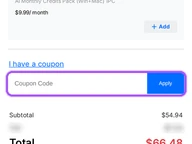
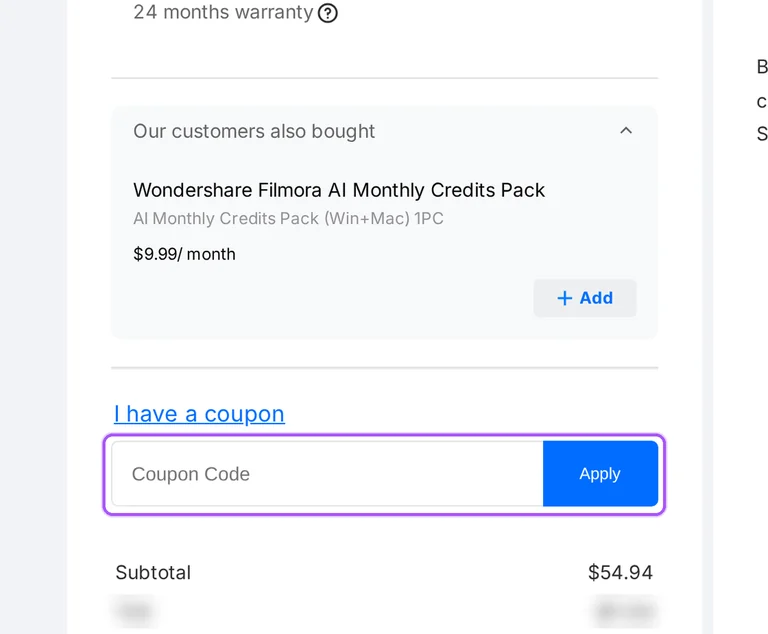
Copy a Filmora coupon or promo code, then paste it in the promo field at checkout.
Choose a coupon
Grab the Filmora offer that works best for you. It's listed above.
Reveal the code
Hit "Get Code" or "Get Deal" depending on the offer type. Popup opens. Click the copy icon inside—code goes to your clipboard.
Apply at checkout
Now head over to Filmora's site. Pick your Basic plan. Checkout page has a "Promo Code" field. Paste what you copied there.
Which payment methods work for a discounted Filmora order?
PayPal, credit card, debit card, local payment, Wepay, Alipay and line pay are accepted, and the accepted payments differ by country or region. To see your options, add the software to your shopping cart and select your Country/Region. The supported payment methods are then listed. The plan cards show prices in USD, and the Basic and Advanced cards read Automatically renew and Cancel anytime. Support runs through instant live chat and email, with email response within 24 hours, and the phone line is open Mon-Fri 6:00 PM to 11:00 AM Pacific Time, where international phone rates may be charged by your service provider. Account Center is where you get an invoice, redeem a serial number or cancel a subscription.
Do Filmora coupon discounts carry over when Basic or Advanced renews?
Renewals continue at standard rates. Both yearly plans are set to renew automatically, and you can cancel your renewal subscription at any time from Account Center. The refund policy adds that different rules may apply to renewals and promotional offers. A renewal order is not refundable when the subscription was not canceled before the renewal charge. Annual subscribers get the upgrade to Filmora 16 at no additional cost, but this applies only to active subscribers. Perpetual has no renewal: it is a single fee for a specific version of Filmora, with upgrades to new major versions included only on subscription plans.
Is there a Filmora free trial before I buy with a coupon?
Yes, but only for Creative Assets: a 7-day free trial marked Software Not Included. The editor has a free version with no trial expiration date. Basic editing tools work and exports carry a Filmora watermark, which paid plans remove. You can download Filmora for Windows or macOS directly from the site. Your projects are always saved, and all your work remains accessible after upgrading. You can upgrade anytime to unlock watermark-free exports. For paid trial and subscription products, cancel at least 24 hours before the current trial or billing period ends to avoid being charged for the next term. Subscription plans renew automatically and can be canceled anytime.
Will a discounted Filmora plan remove the watermark from videos I already exported?
No. A paid plan removes the watermark from new exports, not from files you already exported. Videos exported from the free version have the watermark embedded in the video's pixel data, so it becomes a permanent part of the file. The fix is to re-export from the original .wfp project file with the activated license. If that project file is lost, re-edit from the original materials, such as unedited video clips, images and audio files, then export again. Already exported files with watermarks should not be used as editing materials, because that makes it impossible to eliminate the existing watermark.
Can I get a Filmora refund on a plan bought with a coupon?
Yes, within the 30-day money-back guarantee, but different rules may apply to promotional offers. The refund window begins on the initial payment date. Eligible cases include buying the same product twice, buying the wrong product, leaving it unused and then buying the correct one directly, and a critical technical issue with no effective solution within 7 days. Requests based solely on change of mind or dissatisfaction with AI-generated output are not eligible, and neither is an expired subscription, license or service period. Direct orders go through Account Center > My Orders > Order History. Purchases made through the Apple App Store, Google Play or resellers must be refunded through the original seller or platform.
Does Filmora offer a student discount, and who qualifies?
Yes, students and teachers both qualify for the Filmora education discount. The student policy names Student Beans for identity verification: students log in there and follow its instructions. The education purchase form takes a different route, with an Education email tab, an .EDU Email Address field and a Document tab. Accepted documents include a school ID card, transcript, tuition invoice or bill. The student discount is linked to your account and cannot be transferred, sold or exchanged for cash. The education plan does not include credit benefits or Creative Assets access. The education page marks Filmora savings as Up to 40% OFF.
Does a Filmora coupon on the Perpetual license include future versions?
No. A Perpetual license covers a specific version of Filmora for a single fee, and the plan does not include future versions. Perpetual plans include all updates to the current major version but not upgrades to future major versions. An upgrade is a less frequent, more drastic change, like Filmora 15 to Filmora 16, while an update fixes little bugs or makes minor tweaks. Major upgrades, such as upgrading to version 16, require an additional payment. You may need to pay an additional lower-cost fee to resubscribe for support and upgrades. The Perpetual card lists Updates Within Filmora 16 and 1,000 Filmora AI credits (One-time).
Do AI credits come with a discounted Filmora plan, and do they roll over?
Advanced lists 1,000 Filmora AI Credits a month, and Perpetual lists 1,000 Filmora AI credits (One-time). In a subscription plan, credits are issued every 30 days starting from the purchase date. Unused AI credits expire on the next refreshing date and do not carry over to the next month. Filmora AI credits are shared across Windows and Mac under the same account, and the credits are combined if you hold more than one plan. The credits are used for 20+ AI features. A refund request is not eligible once usage-based benefits such as credits, points, hours or characters have been consumed.
Does one Filmora license bought with a coupon cover both Windows and Mac?
Yes for Basic and Advanced, no for Perpetual. One Basic or Advanced license is good for both Mac and PC (Windows), as these plans offer multi-platform support. A Perpetual license is device-specific: a Windows license works only on Windows devices, and a Mac license works only on Mac devices. Basic and Advanced are single-user licenses, intended for one individual and not transferable or shareable among multiple people. Licenses bought with a student discount are for individual use only and cannot be used commercially. Teams that need several users at once can buy additional licenses or opt for the Business Plan to accommodate more users.
Can a discounted Filmora license be used on my phone or tablet?
Only with a cross-platform plan. A Cross-Platform plan lets you use the same account to log in and use the related features on desktop and mobile devices. A single-end perpetual license supports only the corresponding device, for example desktop, and does not currently support mobile usage. Account Center > Manage Products shows the device types your license supports. A Windows license can only be used on Windows PCs and is not transferable to Android or Apple devices, and a Mac license does not support usage on iOS or iPadOS. Filmora desktop is available for Windows and macOS, and Filmora apps are also available for iOS, iPadOS and Android.
Does Filmora accept promo codes as well as coupons?
Yes. A Filmora coupon and a promo code are the same thing: paste the code in the promo field at checkout before you pay.