When does a Hostek server bought with a discount stop after cancellation?
Your Hostek server stops at your selected cancellation time. Immediate terminates the service immediately, while End of Billing Period keeps it running until the billing expiration date. In the billing control panel, open Services, select My Services and choose the server you want to cancel. Request Cancellation opens the form for your reason and timing preference. Cancellation also affects access to the files and databases hosted on that server. Hostek's terms allow customer data to be downloaded within 72 hours of termination and provide for destruction of its copies within 30 days. A separate PayPal subscription also needs cancellation within PayPal to stop further payments. The relevant timing selector in Hostek's form is called Cancellation Type.
Who can help when a Hostek promo code fails at checkout?
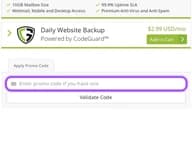
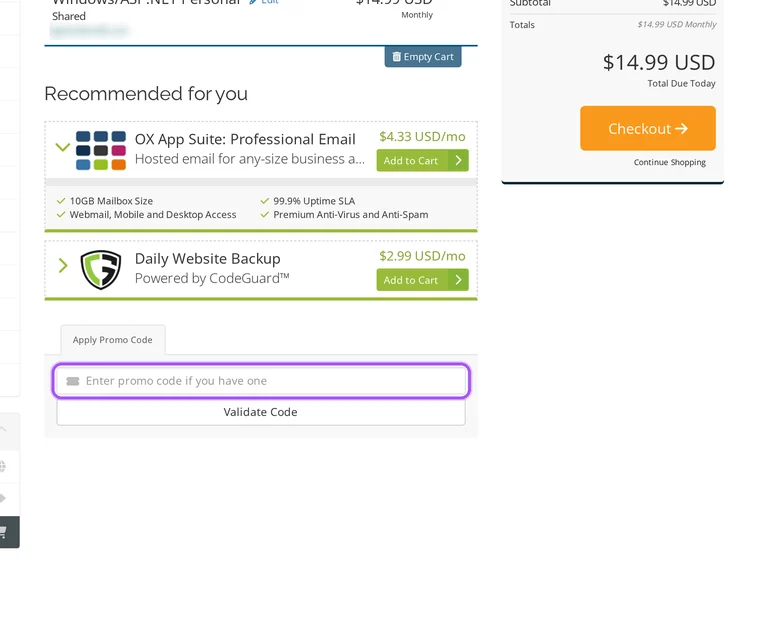
Hostek's Billing team handles billing assistance through the help center's chat button. That gives you a direct contact for a purchase question involving a promotion and the amount payable. In the cart, the Apply Promo Code area submits an offer through Validate Code, before you proceed to Checkout. The same screen lists Product/Options and Price/Cycle, which identify the selected service and billing period for the conversation. Order Summary shows Subtotal and Total Due Today, so you can describe the amount displayed alongside the offer you intended to use. Outside Billing hours, Hostek's Support team can help with basic billing requests. For the Billing team itself, start the conversation Monday through Friday between 9am and 5pm Central.
Can I get a Hostek SSL refund after using an offer?
Hostek excludes SSL certificate fees from refunds. The exclusion also applies during the first 30 days, when eligible hosting charges can qualify for a refund. SSL ordering starts in the billing control panel under Services, then Order New Services, where you select the certificate and provide its domain and company information. After you review the order and pay through Checkout, Hostek's support team orders the certificate. The issuer sends an approval message to the address selected during ordering, and Hostek installs the certificate after approval. That approval step matters before the certificate can be installed on your domain. For the approval message, prepare one of the supported domain mailboxes: admin, administrator, hostmaster, postmaster or webmaster.
What does Hostek's money-back guarantee cover on a discounted hosting purchase?
Hostek's first-30-day refund terms cover unused hosting fees and any current account setup fee charged. You must request the refund within that initial period, and domain registration, domain renewal and SSL certificate fees are excluded. After the first 30 days, unused service becomes account credit for future Hostek services rather than a cash refund. The original payment method also matters: check, ACH, bank draft and direct debit payments receive account credit instead of a refund to the bank account. Cancellation starts from the chosen product in the billing control panel, through Services, My Services and Request Cancellation. That form records your reason and preferred service end time. For refund eligibility, the important request window is the first 30 days.
How can annual billing reduce the cost of a discounted Hostek shared plan?
Hostek offers annual billing discounts on eligible services. Both monthly and annual billing are supported, so the shared plan and its selected term matter when comparing an offer. The shared hosting store separates cPanel Personal, cPanel Business, Windows, ColdFusion and Lucee products, with an Order Now button for each package. For a shared hosting purchase, the cart's Price/Cycle column identifies the charge and billing period attached to the selected product. Its Order Summary separates Subtotal from Total Due Today, helping you distinguish the recurring billing choice from the amount payable now. Hostek generates annual service invoices 60 days before renewal, compared with 25 days for monthly services. That 60-day invoice window is useful when planning an annual renewal.
Where should I enter a Hostek promo code for my order?
Hostek accepts promo codes in its shopping cart. The store lists products by category, including Shared and ColdFusion & Lucee Cloud Servers, so start with the product covered by the offer. After selecting the service, open View Cart to reach the order review screen. The cart has an Apply Promo Code area and a Validate Code button for submitting the offer before Checkout. Product/Options and Price/Cycle identify the service and term in the order, while Order Summary separates the subtotal from the amount due immediately. This gives you a specific place to review the purchase after submitting the offer. The amount to review before proceeding through Checkout is the figure labelled Total Due Today.
Is discounted Hostek ColdFusion VPS hosting eligible for a refund?
Hostek's ColdFusion VPS hosting carries a 30-day money-back guarantee subject to its refund terms. Within the first 30 days, those terms allow a requested refund of unused hosting fees and any current account setup fee charged. Domain registration, domain renewal and SSL certificate fees are excluded, so those purchases remain separate from the hosting refund. To cancel the ColdFusion service, open Services and My Services in the billing control panel, select the server product and choose Request Cancellation. The form asks for your reason and lets you specify the cancellation timing. Immediate ends the service immediately, while End of Billing Period ends it on the billing expiration date. The refund request must fall within the first 30 days.
Which payment methods can I use for a discounted Hostek order?
Hostek accepts credit cards and PayPal for service payments. Accepted cards include Visa, Mastercard, Discover and American Express, and Hostek provides card and PayPal payment without a processing charge. In the billing control panel, open Billing and My Invoices, then select the unpaid invoice for your purchase. Its payment method menu lets you submit payment for that invoice, and a green PAID status marks successful payment. Automatic card collection requires both a card on file and the service's payment method set to Credit Card. PayPal subscriptions are also supported, but setup must happen before the invoice becomes past due. If that invoice is already late, pay it manually and establish the subscription when the next invoice is generated.
What happens to unused discounted Hostek hosting after the first 30 days?
Hostek credits unused service to your account after the first 30 days. Those credits can pay for future Hostek services, but they have no cash value and cannot be withdrawn. The first-30-day refund provision is separate and covers eligible unused hosting fees and any current account setup fee upon request. To cancel the hosting package, open Services and My Services in the billing control panel, then select the relevant product and Request Cancellation. The cancellation form lets you specify when the service ends, which matters if you still need the hosting you have paid for. The Cancellation Type menu offers Immediate and End of Billing Period; the latter keeps the service until its billing expiration date.
Can Hostek refund a discounted purchase to a replacement credit card?
Hostek uses account credit for refunds involving a defunct original card. Its merchant agreement prevents a refund to a different card when the card originally charged no longer exists. The same account-credit treatment applies to payments by check, ACH, bank draft, direct debit and similar methods. Refund eligibility remains subject to the first-30-day conditions, including the exclusion of domain registration, domain renewal and SSL certificate fees. For help with an eligible discounted purchase, Hostek's Billing team accepts conversations through the chat button in the bottom-right corner of the help center. Account credits cannot be withdrawn as cash. The Billing team's staffed hours are Monday through Friday, 9am to 5pm Central.
Does Hostek accept promo codes as well as coupons?
Yes. A Hostek coupon and a promo code are the same thing: paste the code in the promo field at checkout before you pay.