Savings opportunities available through HostPapa promo codes
HostPapa sells green hosting. They charge for the eco-friendly infrastructure. It powers your site sustainably. Don't pollute the planet or your wallet.
Service categories frequently on promotion
Starter and Business Plans. We see the 'Business' plan often discounted to the same price as the 'Starter' plan ($2.95-$3.95/mo) during sales. Our deals help you get the unlimited features of Business for the entry-level price. Validate the code.
Services usually excluded from promo codes
Automated Website Backup is an upsell ($19.95/yr). Domain Privacy is extra. Quality costs money. The 24/7 PapaSquad support is the value; use our code to get the platform cheap.
Impact of billing cycle on promotional price
The 36-Month Standard. To get the $2.95 rate, you must prepay for 3 years. A 1-year term might be $5.95/mo. The coupon code magnifies savings on the larger upfront payment.
Promo codes vs. automatically applied offers
Currency location. Be careful. HostPapa has US, CA, EU, and UK pricing. Ensure you are on the correct regional site, as codes for '.com' often don't work on '.ca' or '.eu'.
How to use HostPapa Discount Codes?
Copy a HostPapa coupon or promo code, then paste it in the promo field at checkout.
Choose a coupon
Grab the HostPapa offer that works best for you. It's listed above.
Reveal the code
Hit "Get Code" or "Get Deal" depending on the offer type. Popup opens. Click the copy icon inside—code goes to your clipboard.
Apply at checkout
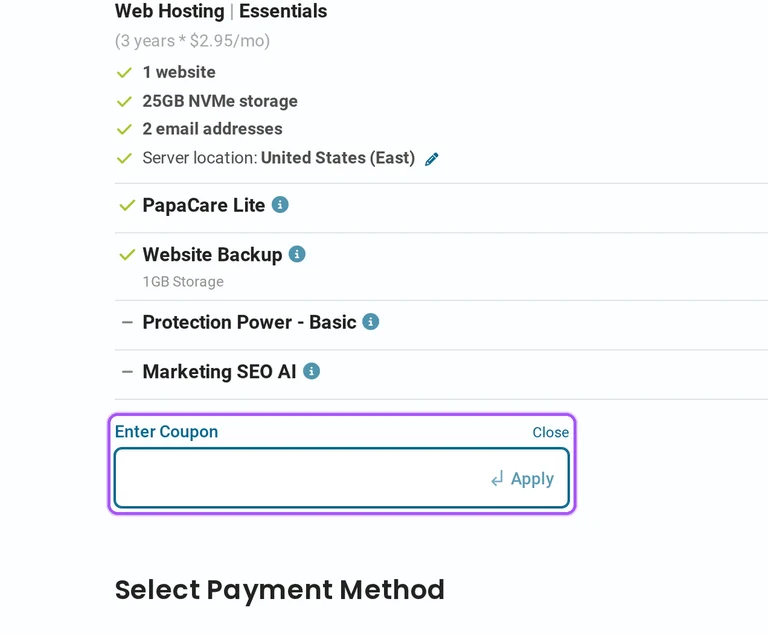
Now head over to HostPapa's site. Pick your Shared Hosting plan. Checkout page has a "Promo Code" field. Paste what you copied there.
What happens to the HostPapa free-domain offer when I request a hosting refund?
HostPapa deducts the domain’s then-current rate from your refund when you cancel hosting that included a free domain. The registration benefit covers the first year, while the domain has its own annual renewal charges. In the cancellation form, hosting customers can select Yes, I would like my domain name to remain registered with HostPapa. That option lets you state what should happen to the domain alongside the hosting cancellation. The free-domain offer applies to eligible new registrations or transfers with annual shared hosting, and premium domains are excluded. A domain kept after the hosting cancellation still needs its registration renewed separately. The specific cancellation option for retaining it is Yes, I would like my domain name to remain registered with HostPapa.
Can I cancel a discounted HostPapa hosting plan at the end of its term?
HostPapa lets you request cancellation of discounted hosting at the end of its current term. The cancellation form provides both immediate cancellation and cancellation upon term expiry, so the timing is part of your request. In your dashboard, open My Services, expand the hosting category, and open the service’s Details. Request Cancellation opens the form where you select the affected service and give a reason. Continue leads to a review step that requires your dashboard access password before confirmation. HostPapa’s billing department must confirm the request before the service is actually cancelled. Cancellation timing and refund eligibility are separate conditions, so ending a term does not itself establish a refund. The timing option for retaining service through the paid period is At the end of the term.
Does the HostPapa introductory discount continue when my hosting renews?
HostPapa’s introductory discount ends after the initial term. Hosting renews at the regular rate for the plan and billing period rather than retaining the new-customer promotional price. The Web Hosting renewal table separates Essentials, Growth, Premium and Elite into one-month, one-year, two-year and three-year terms. For Essentials, the three-year renewal rate is US$8.99 per month, billed as US$323.64 for the full term before applicable taxes. Its one-year renewal is US$10.99 per month, billed as US$131.88 before taxes, so the billing period affects the next payment. These are hosting charges; a promotional domain has its own renewal after its first year. For a 36-month Essentials renewal, the concrete amount listed under 3 Year is US$323.64 before taxes.
How can I request HostPapa’s money-back guarantee after a discounted hosting purchase?
HostPapa’s hosting money-back guarantee covers eligible first-time accounts within 30 days of the first hosting purchase. The refund request must reach the HostPapa Support Team in writing through your dashboard during that period. Open My Services, expand the hosting service category, and open Details to reach Request Cancellation. The cancellation form lets you identify the services involved and choose immediate cancellation or cancellation at the end of the term. After continuing, enter your dashboard password and submit the cancellation confirmation. Domain fees and other non-refundable items are deducted when calculating the refund. HostPapa allows up to 90 days after service cancellation to issue the refund, so the request deadline remains the first 30 days.
Why might a HostPapa promo code not qualify for my hosting order?
HostPapa’s advertised shared hosting promotion requires a new customer’s initial hosting term. The promotional rate does not carry into successive terms, and an offer applies only when it is clearly included for the service on the online order form. The web hosting plan cards show the advertised offer with a three-year term and provide a Buy Now route to ordering. An existing account’s renewal is therefore a different purchase situation from that advertised introductory offer. HostPapa also provides customer-only discounts and promotions through its dashboard, where existing customers manage their accounts. Those account offers have their own purchase context rather than extending the advertised introductory rate. For the shared hosting offer shown on the plan cards, the stated billing commitment is three years.
Where can I review and pay a discounted HostPapa invoice?
You can review and pay your discounted HostPapa invoice through your account dashboard. A promotion applies to a service when the discount is clearly included on the online order form used to purchase it. Open My Billing and set Filter by to Unpaid to find an outstanding invoice. The Pay icon on the right opens the payment window, where Payment Type lets you select the payment method. If several credit cards are saved, the Credit Card dropdown identifies which card will be charged. The payment window displays Total Payment before you submit the charge. HostPapa requires invoices to be paid in full by their due date to avoid service suspension. The button that submits the invoice payment is Charge Now.
Which add-ons qualify for a HostPapa refund after a discounted purchase?
HostPapa refunds eligible add-ons under its standard refund terms. Protection Power, Website Backup and SiteLock qualify, while SiteLock 911, Acronis Backup and SSL certificates are non-refundable. For eligible services billed for one year or longer, the cancellation window is 30 days from the transaction; shorter billing terms have a 48-hour window under the standard terms. A transaction includes a purchase or a processed renewal. Submit the cancellation through your dashboard’s My Services section, identifying the particular add-on rather than only the hosting plan. HostPapa calculates refunds by subtracting amounts that are not eligible from the fees paid. For a short-term eligible add-on, the concrete refund deadline is 48 hours from the transaction.
Can I pay for a discounted HostPapa hosting purchase with PayPal?
HostPapa accepts PayPal for hosting purchases in supported regions. Its payment methods include PayPal in the United States, Canada, Europe and the United Kingdom, with availability varying by location. To use PayPal, you need a billing agreement linking that payment method to HostPapa. Paying from funds already held in your PayPal account or through a credit card on PayPal processes faster than an e-check. With an e-check, money leaving your account does not mean HostPapa has received payment confirmation, and hosting activation waits for that confirmation. HostPapa’s support team can help with payment questions through a dashboard ticket. For a discounted hosting purchase that needs prompt activation, the stated e-check processing delay is up to 14 days.
How does a 36-month term affect the HostPapa introductory discount?
HostPapa’s advertised shared hosting discount covers a three-year initial term for new customers. Hosting is payable in advance, so a monthly equivalent describes the rate rather than a monthly installment arrangement. The Essentials plan’s Buy Now button leads to an order with a 36-month term selected. HostPapa offers billing options ranging from one to 36 months, and the amount payable depends on the term purchased. A commitment of at least 12 months qualifies for the eligible free domain registration offer, which covers the first year of registration. Hosting and domain registration have separate renewal charges after their promotional periods. For the three-year offer, the concrete term to look for in the order is 36 months.
Can a discounted HostPapa shared hosting plan include the free-domain offer?
Eligible discounted HostPapa shared hosting plans include one free domain registration or transfer for the first year. The domain benefit requires a hosting billing term of at least one year and applies at the time of the hosting purchase. In Step 2 of the order form, I need a domain name starts a new registration. For an existing domain, I already own a domain name opens the transfer route, with I want to transfer my existing domain name to HostPapa selected. The offer covers eligible extensions, and premium domains do not qualify for free registration. The domain renews separately at the applicable regular rate after its first year. The concrete minimum hosting commitment for this domain offer is 12 months.
Does HostPapa accept promo codes as well as coupons?
Yes. A HostPapa coupon and a promo code are the same thing: paste the code in the promo field at checkout before you pay.