Verified
Mailbird Coupon & Promo Codes
Best verified offer: 75% off · 12 offers · last checked 10 Nov
Active Mailbird coupon codes
Verified
Verified · Used
Verified · Used
65%OFF
Save 65% on Mailbird Business plans with this special offer, applying the discount at checkout today.
Verified
50%OFF
Save 50% on Mailbird Business Yearly plans by applying this discount code at checkout now.
Verified
30%OFF
Save 30% on Mailbird Personal plans with this special offer, applying the discount at checkout today.
Verified
50%OFF
Save 50% on Mailbird Business Yearly plans by applying this discount code at checkout now.
Verified
50%OFF
Save 50% on storewide purchases at Mailbird by applying this discount code at checkout now.
Verified
50%OFF
Unlock a massive 50% discount on your Mailbird purchase at checkout with this incredible offer, transforming your email management experience today.
10%OFF
Save 10% on your Mailbird purchase with this coupon code, enhancing your email experience with powerful and efficient desktop client features.
20%OFF
Get 20% off your next Mailbird purchase with this special offer, upgrading your email client for improved productivity and a seamless communication experience.
Expired Offers (May still work)
About Mailbird & Latest Deals
Mailbird sells a Windows desktop email client with a unified inbox, offered in Personal, Business and Premium editions.
Learn more about Mailbird and their latest offers.
How to use Mailbird Discount Codes?
Copy a Mailbird coupon or promo code, then paste it in the promo field at checkout.
- Choose a coupon
Grab the Mailbird offer that works best for you. It's listed above.
- Reveal the code
Hit "Get Code" or "Get Deal" depending on the offer type. Popup opens. Click the copy icon inside—code goes to your clipboard.
- Apply at checkout
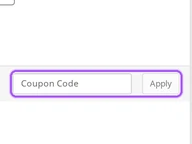
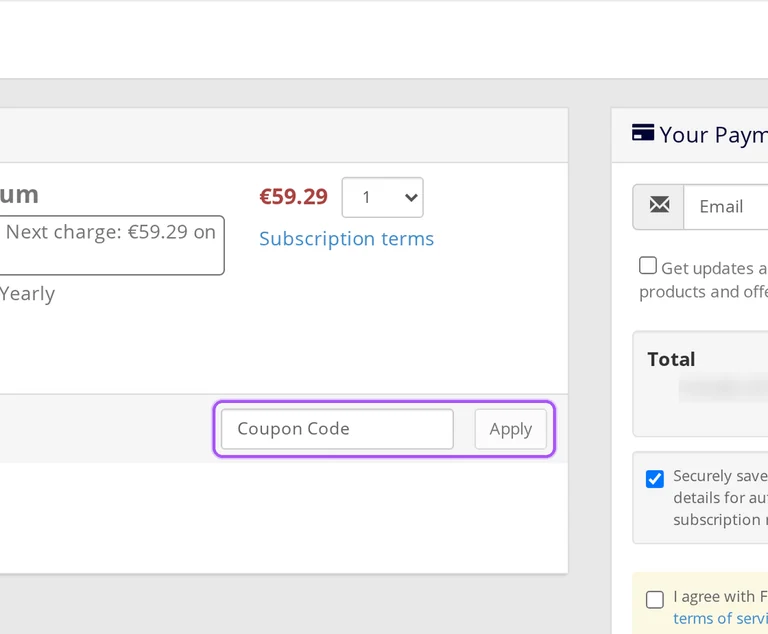
Now head over to Mailbird's site. Pick your Mailbird Personal plan. Checkout page has a "Promo Code" field. Paste what you copied there.
Mailbird Discount FAQs
How can I get help activating a discounted Mailbird license?
Mailbird's Customer Happiness Team can help with license activation problems. After your purchase, the confirmation email contains the license key needed to activate Mailbird. In Mailbird Classic, open Settings from the top-left menu, go to About Mailbird and select Activate Mailbird. Enter the license key and select Continue to complete activation. If that process needs assistance, Mailbird's support request form accepts your email address, version number, subject and a description of the problem. It also includes an optional license-key field that helps support identify your license. Mailbird provides separate help centers for Classic and Next, so the installed version determines the support route. The exact Mailbird version number is available in Settings.
How do I manage renewals after buying a discounted Mailbird Yearly plan?
You can manage your Mailbird Yearly subscription through its FastSpring account portal. Yearly plans require an annual renewal payment and include future updates, so the Lifetime Updates addition is unnecessary for this subscription. The account portal lets you update payment details and manage the subscription associated with your purchase. Enter your email address there to receive a one-time access link, then open the orders dashboard from the email. MyMailbird also provides an overview of your licenses and their renewal dates when applicable. If you need to cancel the subscription or change its payment method, Mailbird documents those actions through FastSpring. The access email contains the link labeled Click here to manage your orders.
Can I try Mailbird Premium before buying a discounted plan?
Mailbird Next gives each new account seven days of Premium access free. That trial includes Premium features before you decide whether to upgrade. If you do not upgrade, you continue with the Free version, which has no time limit and supports one email account. Premium adds unlimited accounts, customer support and features such as app integrations and email tracking. On Mac, Mailbird also documents an in-app purchase route after the trial, with an annual subscription or a one-time license. That route displays the selected plan, total cost and Apple ID in a final confirmation window before payment. In the Mac app, the Purchase button appears at the bottom-right of the Premium window when the seven-day trial ends.
What Mailbird discount is available when buying multiple Premium licenses?
Mailbird automatically applies volume discounts when you buy multiple Premium licenses. An order of 2 to 10 licenses receives 5% off, while 11 to 25 licenses receives 10% off. Larger orders receive higher reductions; for example, 40 licenses qualify for 15% off and 75 qualify for 20% off. These reductions depend on the license quantity in the order, rather than a coupon you type. For Premium Pay Once, the volume reduction applies to the already discounted license price, so it can reduce that purchase further. Each Premium license covers one user and up to three devices. For an order exceeding 100 licenses, Mailbird directs buyers to its Contact Form for assistance.
Does a discounted Mailbird Premium plan include a unified inbox?
Mailbird Premium includes a unified inbox for multiple email accounts. Premium supports unlimited accounts, while the Free plan supports one, so the license you buy matters when combining inboxes. Both Premium Yearly and Premium Pay Once include unlimited accounts; the billing choice changes how you pay for the license. In Mailbird Classic, the unified inbox appears in the top-left corner after you add more than one account. It brings inbox, drafts, sent, archive and other folders together, and replies retain the address that received the message. You can also select which accounts belong in that combined view. To open Classic directly to it, enable Select on startup in the Accounts tab.
Can a discounted Mailbird Premium license cover both Windows and Mac?
Mailbird Premium licenses support both Windows and Mac. The cross-platform license is compatible with Mailbird 3.0 or newer, rather than Mailbird 2.x, and Premium allows installation on up to three devices. One Premium license covers one user, so device allowance and user count are separate parts of the purchase. For additional installations, Mailbird provides the same installer for Free and paid licenses, with the purchased license activated after installation. MyMailbird lists the products compatible with each license and the number of devices it permits, alongside personalized upgrade options. Those details help you identify which purchased license belongs on another computer. In MyMailbird, the Licenses section shows which Mailbird products each license can activate.
Can I buy a discounted Mailbird license with a one-time payment?
Mailbird Premium Pay Once is a license purchased with a single payment. Its payment structure differs from Premium Yearly, which requires an annual renewal payment. Lifetime Updates is an optional addition for Pay Once customers and covers future features, improvements and major versions. Without that addition, the Pay Once license remains functional and still receives critical core fixes. The license payment and the update option therefore serve different purposes: one buys the software license, while the other adds future development. Lifetime Updates can also be added later through Mailbird's upgrade process by requesting a quote. During a Pay Once purchase, the Lifetime Updates toggle sits beneath the plan selection and can be disabled before payment.
Which payment methods can I use for a discounted Mailbird license?
Mailbird accepts major debit and credit cards and PayPal for its payment plans. Supported cards include Mastercard, Visa, Amex, Discover, JCB and Union Pay. Amazon Pay is another purchase option for buyers in the USA. The payment method applies to the purchase you make, while Premium Yearly and Premium Pay Once determine whether the license involves annual billing or a single payment. Mailbird also offers wire transfers in eligible countries for nonrenewable products, with restrictions on renewable purchases. A Yearly license cannot be purchased by wire transfer. For payment difficulties, the Customer Happiness Team handles requests through Mailbird's support form. The Wire Transfer logo inside the checkout window identifies whether that option is available for your country.
How do I request a refund for a discounted Mailbird purchase?
Mailbird offers a full refund when you request it within 14 days of purchase. Its money-back guarantee allows you to change your mind for any reason during that window. Refund requests go through the MyMailbird customer portal, using the same email address used for the original purchase. After signing in, open the Orders tab, locate the purchase and follow the refund instructions for that order. MyMailbird records the total amount charged and the Order Reference number, which help identify the transaction you want refunded. If you cannot access the portal or are unsure which purchase email you used, Mailbird's support team can assist. The button next to the relevant order is labeled Request Refund.
Are app integrations included with a discounted Mailbird Premium purchase?
Mailbird Premium includes access to all of Mailbird's third-party app integrations. The Premium Yearly and Premium Pay Once plans both include apps such as WhatsApp, Google Calendar, Slack and Asana. Mailbird Free excludes third-party integrations, so Premium is the license to buy when those apps are part of your intended setup. In Mailbird Classic, you activate integrations after installing and activating your license, rather than selecting each app during payment. Open the Apps icon, find the integration in the list and tick the box beside its name. The activated app then appears in Mailbird's lower-left panel; removing the tick deactivates it. The Apps icon itself is in the bottom-left corner of the main Classic window.
Does Mailbird accept promo codes as well as coupons?
Yes. A Mailbird coupon and a promo code are the same thing: paste the code in the promo field at checkout before you pay.


