Savings opportunities available through Hola VPN promo codes
Hola sells unrestricted access. They charge for the premium IPs. It unlocks global content. Don't rely on the slow free version.
Service categories frequently on promotion
Premium and Ultra Plans. We see the '3-Year Premium' plan as the pricing sweet spot ($1.99-$2.99/mo). Our deals help you get the 'Ultra' 4K streaming capabilities for the price of standard. Validate the duration. A 1-year plan is $7.69/mo; a 3-year plan is $2.99/mo. The coupon code usually applies to the *total* checkout price, magnifying savings on longer terms.
Services usually excluded from promo codes
Monthly plans often have no valid coupons. Quality costs money. The speed stability is the value; use our code to buy the long-term license.
Impact of billing cycle on promotional price
Lifetime Licenses. Rare but real. Hola occasionally sells a 'Lifetime' pass for ~$39 approx. If you see this deal active on our page, grab it immediately. It is cheaper than 2 years of subscription.
Promo codes vs. automatically applied offers
Birthday Perks. Be careful. Hola reportedly emails a 50% discount on birthdays. If you are close to your date, check your settings/email before buying.
How to use Hola Discount Codes?
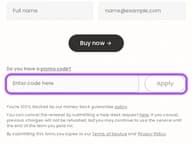
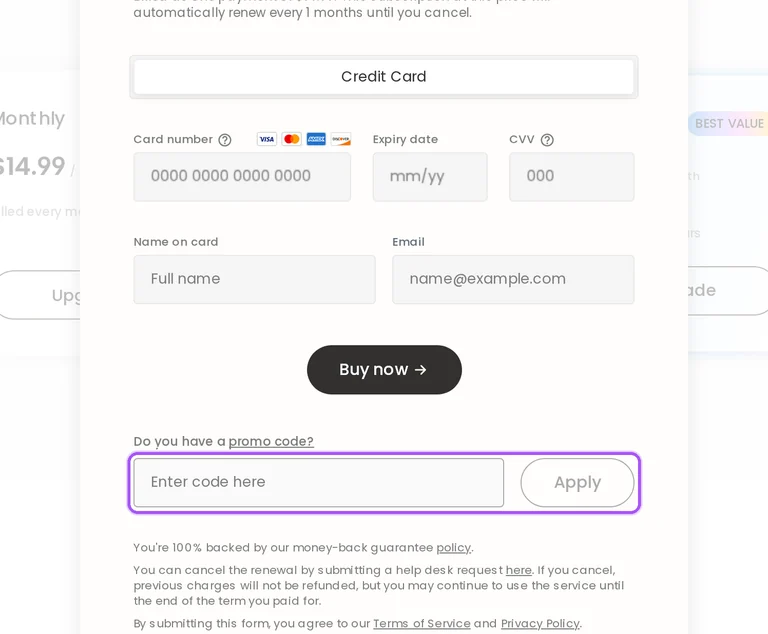
Copy a Hola coupon or promo code, then paste it in the promo field at checkout.
Choose a coupon
Grab the Hola offer that works best for you. It's listed above.
Reveal the code
Hit "Get Code" or "Get Deal" depending on the offer type. Popup opens. Click the copy icon inside—code goes to your clipboard.
Apply at checkout
Now head over to Hola's site. Pick your Hola Free VPN plan. Checkout page has a "Promo Code" field. Paste what you copied there.
How do I change payment details for a discounted Hola subscription?
Payment-detail changes depend on how you originally paid for Hola. If you subscribed with a credit card, Hola does not allow a payment-method change after subscribing. To use a different payment method, cancel automatic renewal and renew with that method once the subscription has expired. Cancelling renewal keeps the current subscription active until the end of the paid period. If you paid through PayPal, Google Play, the Apple App Store, Samsung Galaxy Store, Huawei Store or Amazon Store, update your details directly with that payment provider. The provider-specific route also matters for cancelling recurring payments on app-store purchases. For a credit-card subscription, the documented switch point is after the existing subscription expires.
What happens if I cancel a Hola subscription bought with an offer?
Cancelling automatic payments leaves your subscription active until the end of the paid period. Hola subscriptions renew automatically unless you cancel future payments, so cancellation controls the next subscription charge. For a subscription purchased on Hola's website, follow the cancellation link in the recurring-payment help article to manage future payments. Purchases through Google Play, Apple, Samsung, Huawei or Amazon must follow the cancellation instructions for that particular store. Once the paid period expires, continued Premium access requires another subscription if auto-renewal has been cancelled. Hola's refund provisions are separate: the unused-subscription policy has a 14-day condition, while its terms provide prorated refunds after cancellation takes effect. Renewal charges can be processed one to three days before the renewal date.
Can I get a Hola refund after using 100MB on a discounted subscription?
Hola's terms provide a prorated refund for the unused portion after cancellation. Those terms calculate the refund from the effective cancellation date to the end of the current billing period, with cancellation taking effect within three business days of notice. The separate unused-subscription refund policy requires that Premium has not been used at all within 14 days of purchase. Using 100MB does not meet that unused-service condition, so the two provisions need to be distinguished when requesting a refund. Cancellation requests can be made through the account page or by email to billing2@hola.org. Under the terms, refunds return through the original payment method unless otherwise agreed. The stated cancellation processing period is three business days.
How long does a refund for a discounted Hola purchase take?
A processed Hola refund can take five to seven business days to reach your account. After receiving and processing the request, Hola submits the refund to the payment processor or financial institution. The time for the credit to become visible depends on your financial institution and location, and the published guidance allows up to 30 days in some cases. If more than seven business days have passed since Hola processed the refund, contact your bank directly for its status. If the bank cannot find the refund in its records, contact Hola support for further help. The five-to-seven-business-day period follows Hola's processing of the request. The concrete escalation point is seven business days after processing.
Does Hola offer a money-back guarantee on discounted Premium purchases?
Hola offers a conditional 14-day refund window for unused Premium subscriptions. Eligibility under that policy requires that you have not used Premium at all after purchase. Hola also reserves discretion to limit or deny refund requests to protect against fraud. Its terms separately provide a prorated refund for the unused portion of the billing period following cancellation, calculated from the effective cancellation date. Purchases processed through Apple or Amazon follow those providers' refund routes because Hola cannot refund those in-app payments directly. A cancellation also needs the correct purchase channel: the Hola website for direct subscriptions or the relevant app store for store subscriptions. For the unused-subscription refund provision, the stated deadline is 14 days after purchase.
Can I change the plan I bought with a Hola offer?
Hola requires you to cancel renewal before choosing another plan after expiry. Its plan-change instructions say subscriptions cannot be changed after subscribing and direct customers who want a different subscription type to support. You can cancel automatic renewal, retain access for the rest of the paid period and select another plan once that subscription expires. The cancellation route depends on whether you purchased through Hola's website or an app store. Website buyers use Hola's subscription cancellation link; app-store buyers follow their store's cancellation instructions. If you purchase another plan before the previous subscription ends, Hola's billing guidance says the new plan is charged from the time of the change. For the documented plan-switch route, cancel renewal and choose another plan after the current subscription expires.
Can I request a Hola refund for slow speeds after a discounted purchase?
Refund eligibility depends on whether you used Premium and which cancellation provision applies. Hola's unused-subscription refund policy requires that Premium has not been used at all within 14 days after purchase. That condition matters when a speed complaint follows actual use of the paid service. Hola's terms separately provide a prorated refund for the unused portion of a billing period after cancellation takes effect. Under those terms, cancellation takes effect within three business days of notice, and the refund is calculated from that effective date. For a technical support request, include your operating system, affected websites, a description of the connection problem and your Premium purchase invoice. Website subscriptions can be cancelled through the account page.
Who handles refunds for discounted Hola purchases through Apple or Amazon?
Apple and Amazon handle payments for Hola purchases made through their respective accounts. Hola cannot issue refunds for in-app purchases processed through an Apple account or an Amazon account. Refund requests for those purchases follow Apple's refund policy or Amazon's purchase terms rather than a refund payment issued by Hola. Subscription cancellation also follows the platform where you originally subscribed: Apple App Store purchases use Apple's cancellation instructions, while Amazon Store purchases use Amazon's instructions. Cancelling automatic payments leaves the subscription active until the end of the paid period. For subscriptions bought directly from Hola, cancellation instead uses Hola's website cancellation link. For direct website purchases, use the cancellation link in Hola's recurring-payment instructions.
Which payment methods can I use for a discounted Hola subscription?
Hola accepts major credit cards, Apple Pay, G-Pay and PayPal. A Premium subscription renews automatically at the end of its billing period unless you cancel automatic payments. After completing the purchase, you can turn off auto-renewal if you want to buy each monthly or yearly period separately. The way you update payment details later depends on the method used for the original subscription. Credit-card subscribers cannot change their payment method during the subscription; they can cancel renewal and subscribe with another method after expiry. PayPal subscribers manage their payment details directly with PayPal. If a card payment fails, Hola recommends asking the bank to authorize payment to Hola, which is based in Israel.
Why can payment fail when I buy a discounted Hola subscription?
Incorrect card details, international transaction restrictions or bank authorization rules can prevent payment. Hola requires the cardholder's full name to match the name on the card, and the CVC must contain the correct numbers. A saved payment method with outdated details can be removed and added again. Debit cards in certain countries cannot make foreign transactions without bank authorization, and a difference between the card's issuing country and your residence can also prevent approval. Hola advises making purchases without a VPN because multiple IP addresses can cause authorization problems. If the bank declines the transaction, ask about available funds, purchase limits and card security restrictions. Tell the bank that the intended payment is to Hola in Israel.
Does Hola accept promo codes as well as coupons?
Yes. A Hola coupon and a promo code are the same thing: paste the code in the promo field at checkout before you pay.