Verified
Joyoshare Coupon & Promo Codes
Best verified offer: 20% off · 4 offers · last checked 4 Nov
Active Joyoshare coupon codes
Expired Offers (May still work)
About Joyoshare & Latest Deals
Get the latest Joyoshare coupons, promo codes, and deals.
Savings opportunities available through Joyoshare discount codes
Joyoshare sells video recording, editing, conversion, and repair software. The offers on this page can help you pay less for the Joyoshare product you need.
Service categories frequently on promotion
VidiKit combines 21 video tools. Joyoshare also sells separate recording, editing, compression, and conversion products, so choose the product before choosing an offer.
Services usually excluded from promo codes
One Joyoshare license is basically for one computer. Factor that limit into the cost if you need software on more than one machine.
Impact of billing cycle on promotional price
Joyoshare sells monthly, yearly, and lifetime licenses for Windows and Mac software. Choose the license term that fits how long you will use the product.
Promo codes vs. automatically applied offers
The Extended Download Service is added to the shopping list by default. Remove it if you do not need the payment platform to back up your purchase and download details.
How to use Joyoshare Discount Codes?
Copy a Joyoshare coupon or promo code, then paste it in the promo field at checkout.
- Choose a coupon
Grab the Joyoshare offer that works best for you. It's listed above.
- Reveal the code
Hit "Get Code" or "Get Deal" depending on the offer type. Popup opens. Click the copy icon inside—code goes to your clipboard.
- Apply at checkout
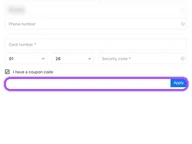
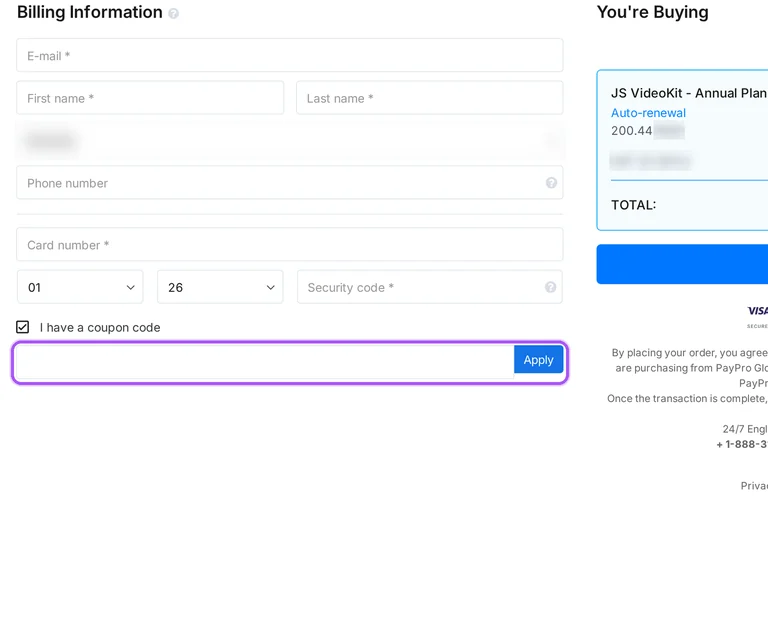
Now head over to Joyoshare's site. Pick your Video Cutter plan. Checkout page has a "Promo Code" field. Paste what you copied there.
Joyoshare Discount FAQs
Does a discounted Joyoshare VidiKit license expire?
A discounted VidiKit license lasts for the term you buy. The Windows options cover one month, one year or lifetime use on one PC. The 1-Month Plan and 1-Year Plan renew automatically, while the Perpetual Plan is a one-time purchase. The annual option includes one year of free upgrades, and the perpetual option includes lifetime upgrades. A coupon reduces the purchase price; the selected license term still determines how long you can use VidiKit. For a purchase intended to last without a subscription, the relevant option is the Perpetual Plan. Its Windows license is specifically listed as 1 PC/Lifetime, so that is the plan label to select before proceeding with the offers on this page.
Can I pay for a discounted Joyoshare order with PayPal?
Joyoshare accepts PayPal for software purchases. Other listed methods include Visa, MasterCard, American Express, JCB, Alipay and bank or wire transfer. A coupon belongs in the purchase process before payment, with Joyoshare identifying the discount field as Coupon Code. The software is supplied digitally, and the purchase email is used to deliver the registration details. For a discounted order, the product choice and payment method are separate decisions: PayPal handles payment, while the selected license determines the software you receive. Joyoshare also provides a self-service license retrieval route if the registration email cannot be located. The support address for help with missing registration details is support@joyoshare.com, using the email associated with the purchase.
Can creators get a Joyoshare license deal without a standard coupon?
Joyoshare offers creator license rewards for qualifying published content. Its social-post option requires at least 1,000 followers and a product review post containing the Joyoshare topic tag and official link. A post reaching 50 likes or shares qualifies for submission toward a free one-year single license. A separate blog, forum or website route requires a review of at least 500 words, a do-follow link, domain authority above 30 and a permanently live article URL. That route offers a free lifetime single license after approval. These rewards require submitting the published content for Joyoshare’s assessment rather than entering a standard coupon at checkout. For the social-post route, the concrete submission threshold is 50 likes or shares.
Can I change platforms after buying Joyoshare with a discount?
Joyoshare allows a free Windows-to-Mac or Mac-to-Windows license switch within one week of purchase. The switch requires contacting the after-sales team during that period. After the week has passed, changing platforms requires a new license purchase. VidiKit has separate Windows and Mac purchase options, so the operating system matters when selecting a discounted license. The Mac purchase options cover one Mac for a month, a year or a lifetime, rather than a shared Windows-and-Mac license. A platform correction should therefore go through support promptly after the original order. The Mac purchase page also provides a Go to Windows Version link, which is the relevant navigation step when the computer needs the Windows edition.
Which Joyoshare VidiKit discount is available through its review offer?
Joyoshare offers a 30% lifetime-license discount through its VidiKit review promotion. The alternative reward is a free three-month license, which is the default gift. Participation requires publishing a review on one of the promotion’s listed rating platforms and sending a screenshot to support@joyoshare.com. The review must remain published with a live URL; deleted reviews and reviews awaiting approval do not qualify. The email needs to identify the requested discount, since the default reward is the temporary license. Joyoshare sends the gift within five to seven business days after reviewing the submission. To request the lifetime discount rather than the default gift, the specified email subject is Review to Get Free Gift.
Can I request a Joyoshare refund if discounted software has technical problems?
Joyoshare accepts qualifying technical-problem refund requests under its money-back guarantee. The software must have crucial technical problems that the support team fails to resolve within one month, subject to the guarantee guidelines. A request based on technical trouble requires a detailed description of the problem. Joyoshare directs product issues to support@joyoshare.com, and its contact form provides another route for explaining the issue. That form asks for your name, email address, product and message content, with a verification field before submission. For a discounted VidiKit purchase, identify the affected software rather than sending the request to the marketing address. The product selector on the contact form includes the specific option VidiKit (Video Toolkit).
How many computers does a discounted Joyoshare VidiKit license cover?
A VidiKit license covers one computer on the listed individual plans. The Windows options specify one PC, and the Mac options specify one Mac. Monthly and yearly subscriptions change the duration of access, while the perpetual option provides lifetime access on that single computer. Buying a longer term therefore addresses how long the license lasts rather than adding another machine. For a Mac purchase, the one-month and one-year options renew automatically, while the perpetual option is a one-time purchase. Free upgrades follow the selected term: one month, one year or lifetime. Before applying an offer to a Mac order, the concrete device allowance to match against your needs is 1 Mac/Lifetime for the Perpetual Plan.
What refund window applies to a discounted Joyoshare yearly or lifetime purchase?
Joyoshare gives yearly and lifetime purchases a conditional 30-day money-back guarantee. Eligible situations include duplicate charges caused by the payment platform and buying the wrong product before purchasing the correct Joyoshare product within the guarantee period. A change of mind alone is excluded, and a refund for just part of a bundle is also excluded. The discounted purchase therefore needs an eligible reason as well as a request within the applicable window. Refunds deactivate the corresponding license, after which the software must be uninstalled and removed from the computer. Product issues go to support@joyoshare.com; for a replacement purchase involving the wrong product, the yearly or lifetime deadline is 30 days.
Can I try Joyoshare before buying a discounted license?
Joyoshare offers free trials before a paid license purchase. Trial restrictions depend on the tool, so the free version gives you a way to try the relevant task before choosing an offer. Screen Recorder adds a watermark to trial recordings, while Video Converter limits conversion to the first third of an imported file. Purchasing the registered version removes the stated trial restrictions. VidiKit provides separate Free Trial downloads for Windows and Mac, alongside its purchase options. This lets you try the edition intended for your computer before committing to the discounted license term. For Video Converter specifically, the concrete trial limit to expect is conversion of the first one-third of each video, rather than the complete file.
Where do I enter a Joyoshare coupon when ordering VidiKit?
Enter the coupon during the Joyoshare order process before paying. VidiKit offers monthly, yearly and perpetual licenses, with separate purchase options for Windows and Mac. The discount field is called Coupon Code, and the purchase buttons are labelled Buy Now. A coupon belongs in that order field; the registration details delivered after payment are for activating the purchased software. For the Windows edition, the yearly and monthly options renew automatically, while the perpetual license is a one-time purchase. The selected term therefore matters alongside the discount when placing the order. For a Windows purchase without subscription renewal, the specific option to select is Perpetual Plan, covering 1 PC/Lifetime.
Does Joyoshare accept promo codes as well as coupons?
Yes. A Joyoshare coupon and a promo code are the same thing: paste the code in the promo field at checkout before you pay.


