Get the latest Solostream coupons, promo codes, and deals.
Savings opportunities available through Solostream discount codes
Solostream sells WordPress theme memberships, and the offers on this page help you look for a lower purchase price. Lite is $99 a year, Gold is $129 a year, and Lifetime is $299. All three include 90 themes and future themes.
Service categories frequently on promotion
The membership selection matters. Lite includes no support; Gold includes Fanatic Support. Lifetime includes lifetime Fanatic Support and lifetime theme upgrades, so the duration of those benefits belongs alongside the discount.
Impact of billing cycle on promotional price
Annual means a full 12-month charge. Lite bills $99.00 every 12 months and Gold bills $129.00 every 12 months. Lite theme upgrades last while the membership is active.
Accessing active codes for Solostream
The Lite and Gold forms pair the Coupon Code field with the selected membership and payment options. Existing account holders can log in to continue.
How to use Solostream Discount Codes?
Copy a Solostream coupon or promo code, then paste it in the promo field at checkout.
Choose a coupon
Grab the Solostream offer that works best for you. It's listed above.
Reveal the code
Hit "Get Code" or "Get Deal" depending on the offer type. Popup opens. Click the copy icon inside—code goes to your clipboard.
Apply at checkout
Now head over to Solostream's site. Pick your WordPress Themes plan. Checkout page has a "Promo Code" field. Paste what you copied there.
What annual charge should I budget for after a Solostream discount?
Lite bills $99.00 every 12 months, and Gold bills $129.00 every 12 months before any applicable offer. These are annual charges, rather than monthly instalments. The membership signup forms pair each amount with the wording Billed Every 12 Months. A coupon saving on the purchase should therefore be considered against the annual membership you selected. Lite includes the 90 themes, future themes and WordPress video tutorials, with theme upgrades while the membership is active. Gold adds Fanatic Support alongside theme upgrades. Keeping a Premium Themes Membership active requires additional payments, while continued use of themes you already have does not. The distinction is between paying for ongoing membership access and continuing to use a previously obtained theme.
Can I request a refund on a discounted Solostream theme purchase?
New customers have a 30-day refund window, with support assistance required for setup, configuration or technical problems. If the problem remains after that assistance, a full refund of the order cost is available within 30 days of purchase. This matters when a Solostream discount helps you buy a membership but a technical issue prevents a satisfactory setup. The refund route starts with giving support the opportunity to resolve that issue. Solostream handles customer service inquiries and returns directly. The membership offer and the support included in the plan are separate buying details: Lite includes no support, while Gold includes Fanatic Support and Lifetime includes lifetime Fanatic Support. Renewal transactions fall outside the new-customer refund policy, so the purchase stage matters to refund eligibility.
Can a Solostream membership deal cover themes used on several websites?
Yes, Solostream permits its themes to be used on as many sites as you like. A membership deal therefore sits alongside permission to use the themes across multiple sites, rather than a stated single-site limit. Lite, Gold and Lifetime each include access to the 90-theme collection, future themes and WordPress video tutorials. The difference relevant to the purchase is membership support and upgrade duration. Lite includes no support and supplies free upgrades while membership is active; Gold includes Fanatic Support and theme upgrades. Lifetime includes lifetime Fanatic Support and lifetime upgrades. Continued use of obtained themes remains available even without an active membership. Premium-theme access ends when membership expires, so ongoing access and use of existing themes are distinct conditions.
Does Solostream offer a lifetime alternative when I am comparing discounts?
Yes, Lifetime costs $299 and includes lifetime Fanatic Support and lifetime theme upgrades. It also includes the same 90-theme collection, future themes and WordPress video tutorials named in the annual memberships. That gives a Solostream deal a different purchase context: annual Lite and Gold memberships carry a 12-month billing schedule, while Lifetime explicitly includes lifetime support and upgrades. Lite costs $99 a year with no support included, and Gold costs $129 a year with Fanatic Support. The membership benefits matter alongside any reduction in the purchase price. Continued use of an obtained theme is also distinct from membership benefits: you can keep using your themes whether or not you keep a membership active. Lifetime includes the ongoing support and upgrades in its named benefits.
Where do I enter a Solostream promo code?
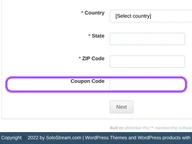
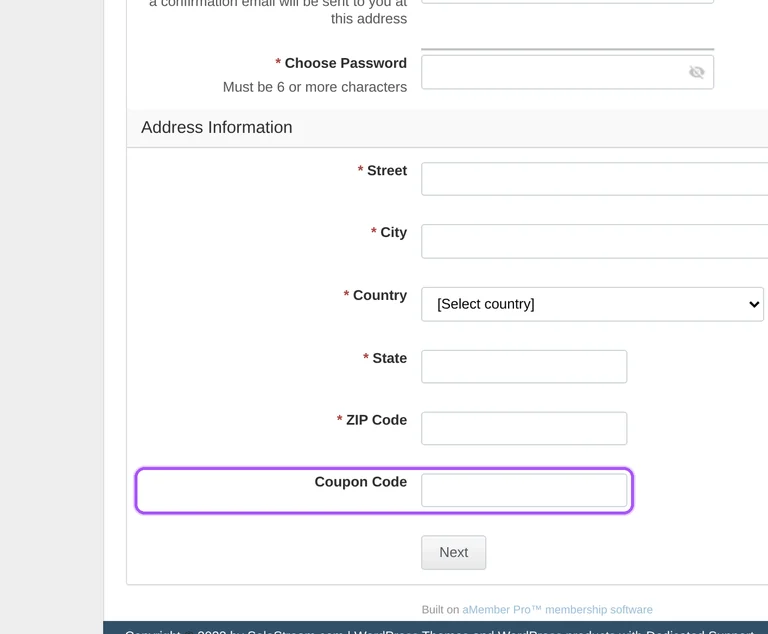
Enter it in the Coupon Code field on the Lite or Gold membership signup form. Each checkout identifies the membership before collecting your payment details. A new account needs a password of six or more characters, and confirmation goes to your email address. The form also asks for your name, email address, password and billing address, including country, state and ZIP code. Existing account holders have a login option to continue with their account. The offers listed on this page belong alongside that specific membership selection when you work out your purchase. Payment choices include PayPal, major credit cards and PayUMoney PayU. Access to the purchased theme begins once Solostream successfully receives the payment.
Which payment options appear when applying a Solostream coupon?
The Lite and Gold checkouts offer PayPal, major credit cards and PayUMoney PayU alongside the Coupon Code field. Both membership forms collect payment and account information within the signup process. Lite carries a $99.00 charge every 12 months; Gold carries a $129.00 charge every 12 months. The selected membership therefore sets the billing amount and schedule associated with the purchase. The form asks for a name, email address, password and street address, together with city, country, state and ZIP code. An existing account holder can log in to continue rather than start with a new account. Solostream is the merchant of record and handles customer service inquiries and returns. Purchased-theme access becomes available immediately after the payment transaction has been successfully received.
Can I keep using themes if my discounted Solostream membership expires?
Yes, you can continue using themes you already obtained after the membership ends. Ongoing theme use and access to Premium themes are different parts of the purchase. Keeping a Premium Themes Membership active requires additional payments, and an expired membership no longer provides access to Premium themes. Lite also limits free theme upgrades to the period when membership is active. A Solostream discount on that annual membership therefore affects a purchase with ongoing access conditions, rather than a requirement to pay forever to use an existing theme. Gold includes Fanatic Support and theme upgrades, while Lifetime includes lifetime support and upgrades. The FAQ permits continued use for as long as you like, whether or not you keep your membership active.
Which Solostream membership should I select for a theme discount?
Lite and Gold cover the same 90-theme collection, but Gold includes support. Both memberships also include future themes and WordPress video tutorials. That makes support a concrete distinction when considering a Solostream discount, rather than the size of the initial theme collection. Lite costs $99 a year and includes free theme upgrades while the membership remains active. Gold costs $129 a year and includes Fanatic Support and free theme upgrades. Each has its own signup form with a Coupon Code field, so the membership selection matters when applying an offer. Lifetime is another membership option, priced at $299 with lifetime Fanatic Support and lifetime theme upgrades. Its support and upgrade duration differs from the annual memberships.
Can an existing account holder enter the Solostream coupon checkout?
Yes, existing account holders can log in to continue from the membership signup form. Lite and Gold each have a Coupon Code field alongside their membership and payment details. Logging in is an account step; the selected membership still identifies the purchase being made. The login option sits above the Product Title selection, before the Payment System choices. The signup route brings account access, membership selection and payment into the same purchase process. Gold includes Fanatic Support, whereas Lite includes no support and provides theme upgrades while membership remains active. The renewal refund restriction also matters for an existing membership: transactions after the renewal date are ineligible for refund or return. The 30-day refund policy covers new customer registration.
Is a Solostream membership renewal refundable after a promotional purchase?
No, renewal transactions are not eligible for a refund or return. The 30-day refund policy applies to new customer registration, so a discounted first purchase and a later renewal sit in different positions. Lite and Gold both bill every 12 months, at listed amounts of $99.00 and $129.00 respectively. Keeping a Premium Themes Membership active requires further payments. Continued use of themes already obtained is separate: you can use them for as long as you like without maintaining the membership. Once a membership expires, access to Premium themes ends. That makes the annual payment relevant to ongoing membership access rather than permission to keep using an existing theme. Lifetime includes lifetime theme upgrades and lifetime Fanatic Support as an alternative membership arrangement.
Does Solostream accept promo codes as well as coupons?
Yes. A Solostream coupon and a promo code are the same thing: paste the code in the promo field at checkout before you pay.