Savings opportunities available through ChartVPS discount codes
ChartVPS sells low-latency reliability. They charge for the trading infrastructure. A basic VPS starts at $70/mo. It's an investment in your trading execution. Don't pay full price for a server that might sit idle on weekends.
Service categories frequently on promotion
Alpha Series VPS. We see 50% off first-month codes often. Our deals help you test the latency for $35 instead of $70. Validate the platform. If you use NinjaTrader, ensure the 'Alpha' series is the target of the coupon, not the GPU-heavy 'Gamma'.
Services usually excluded from promo codes
Delta Series (Dedicated) often has smaller discounts (5%). ServerIQ is a fixed add-on (though often free with plans). Quality costs money. The proximity to exchange servers is the value; use our code to subsidize the premium location.
Accessing active codes for ChartVPS
ChartVPS promo codes are applied at checkout. The new-client offer takes 30% off the first month. The annual offer applies to new Alpha, Gamma and Delta subscriptions, so have your plan and billing term chosen before applying an offer.
How to use ChartVPS Discount Codes?
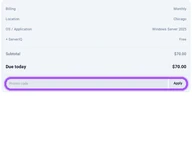
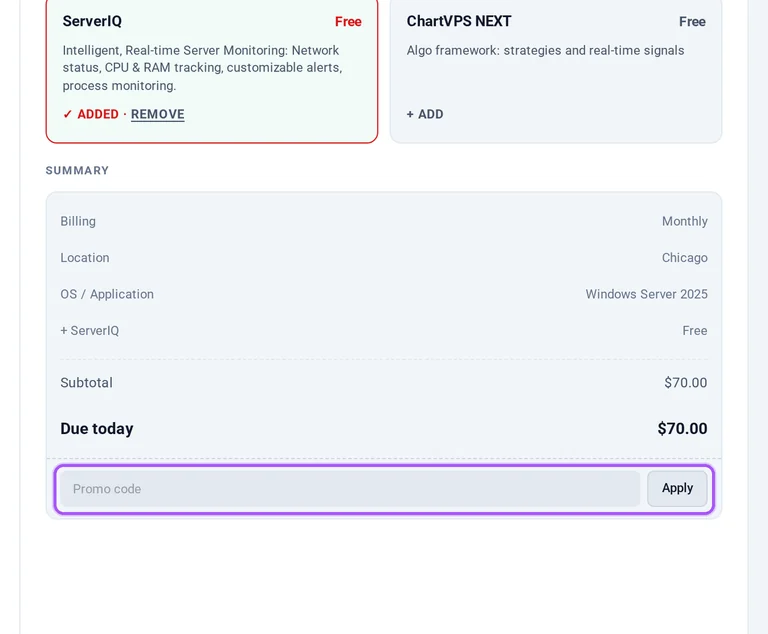
Copy a ChartVPS coupon or promo code, then paste it in the promo field at checkout.
Choose a coupon
Grab the ChartVPS offer that works best for you. It's listed above.
Reveal the code
Hit "Get Code" or "Get Deal" depending on the offer type. Popup opens. Click the copy icon inside—code goes to your clipboard.
Apply at checkout
Now head over to ChartVPS's site. Pick your Forex VPS plan. Checkout page has a "Promo Code" field. Paste what you copied there.
How can ChartVPS support help me obtain the switching discount?
ChartVPS live chat handles the switching offer, which gives 10% off an eligible subscription while it remains active. Open a chat and send a screenshot of your current VPS invoice or subscription. The proof needs to identify the provider and plan; redact payment details and unnecessary personal information first. ChartVPS then issues the offer for application at checkout. Its support coverage is available around the clock, so the chat route is also available outside a single market’s trading session. The helpdesk lists chat, phone and email contact options, with detailed email replies within 24 hours. Prepare the redacted screenshot showing your provider and subscription before starting the discount request in live chat.
Why isn't my ChartVPS promo code working?
ChartVPS offers have different eligibility rules, and the switching discount cannot be combined with another promotion. The annual coupon is for a new annual Alpha, Gamma or Delta subscription, while the new-client offer reduces the first month. A switching offer requires a screenshot showing your existing VPS provider and subscription before ChartVPS issues the discount. Match the offer to the subscription you are ordering rather than applying an annual promotion to monthly billing. The plan selector provides /MO and /YEAR choices beside the Subscribe links. If you are using the switching discount, select it or another eligible promotion. For an annual offer, return to the plan selector and select /YEAR before checkout.
Can a discounted ChartVPS subscription receive an uptime service credit?
Eligible ChartVPS subscriptions can receive uptime credits, capped at the amount paid for the affected service during the affected month. Credits apply to future bills and are calculated separately for each service from total monthly downtime. The schedule awards 5% for uptime from 99.9% to below 99.95%, rising to 100% below 98%. Scheduled maintenance, customer-caused outages and third-party provider failures are excluded. The credit is the contractual remedy for service unavailability, rather than reimbursement for trading results. A promotional purchase therefore still needs an eligible outage and a timely written request. Submit the credit request within 30 days after the affected month ends, as required by the SLA.
Can I request a refund after buying ChartVPS with a discount?
A discounted ChartVPS purchase is subject to its refund policy, which allows requests for service that differs from its purchase description. Submit that request within 30 days of the latest payment through a support ticket, with details and evidence. ChartVPS reviews the claim and may return part or all of the payment; approval is not automatic. Approved refunds go to the original payment method within 14 business days. Cryptocurrency payments qualify only for account credit if ChartVPS approves a remedy under the policy. Low usage and inactivity do not qualify for refunds. For a service-description claim, include the purchase description and evidence of the difference in your ticket.
What happens to prepaid fees when I upgrade a discounted ChartVPS plan?
ChartVPS credits the unused portion of prepaid fees toward your new plan when you upgrade or downgrade. A voluntary plan change uses the selected plan’s current price and starts a fresh minimum three-year base-price lock. That makes the new plan’s price relevant when changing a subscription originally bought with a promotion. Alpha Mark-1, Mark-2 and Mark-3 have separate Subscribe links and monthly or yearly billing choices. Their listed memory allocations are 4 GB, 8 GB and 16 GB respectively, so identify the intended tier before arranging the change. ChartVPS support can size Alpha around platform count, chart load and automation. Give support those workload details when discussing the upgrade and prepaid credit.
How does ChartVPS’s first-month discount affect the cost of an Alpha VPS?
ChartVPS’s new-client promotion reduces the first month by 30%; it is a first-month saving rather than an annual discount. The monthly pricing comparison lists Alpha Mark-1 at $50, Mark-2 at $80 and Mark-3 at $140 before that promotion. Each plan has its own Subscribe link and /MO or /YEAR billing selection. Choose the monthly term for the first-month purchase and apply the relevant offer at checkout. ServerIQ monitoring, daily snapshots, DDoS protection and ChartVPS NEXT are included in the plans. TradeCopy is a separate $30 monthly subscription for each connected VPS. When budgeting a discounted Alpha order with TradeCopy, include that separate subscription alongside the server charge.
Can I combine ChartVPS annual savings with a coupon for a Windows VPS?
ChartVPS offers an additional 5% discount on new annual Alpha, Gamma and Delta subscriptions, alongside 12 months for the price of 11. The annual saving and the additional coupon are presented together as one offer. Alpha includes Windows Server, and Gamma also includes Windows Server as an operating-system option. On the Alpha plan selector, /MO and /YEAR distinguish the billing terms; select /YEAR and follow the Subscribe link for your chosen plan. Apply the annual offer at checkout to that new subscription. Services are prepaid, with the full term due before it begins. For a Windows trading VPS, confirm the selected subscription is annual before applying the offers on this page.
Where do I apply a ChartVPS promo code when ordering a trading VPS?
ChartVPS applies promo codes at checkout after you select your server plan and billing term. The Alpha ordering page has a Subscribe link for each plan, with /MO and /YEAR billing choices. Start with the plan you intend to purchase, then apply the relevant offer during checkout. ChartVPS has separate promotions for a first month, a new annual subscription and an eligible move from another provider, so the billing term matters. Alpha includes Windows Server and encrypted Remote Desktop access, while the pricing comparison separates included services from paid add-ons. For an Alpha order, select /YEAR before proceeding if you want the annual offer rather than the first-month promotion.
What does ChartVPS’s price lock cover after a promotional purchase?
ChartVPS’s price lock protects a new subscription’s starting base price for at least 36 months, with separate charges outside that protection. Optional add-ons, voluntary plan changes and legally required taxes are separate from the locked base price. The guarantee does not require you to commit to a three-year contract. Non-USD billing converts the protected base price at market exchange rates, which can move in either direction. Required taxes appear separately, and optional charges are shown before they are charged. Services still renew automatically unless cancelled before the next billing cycle. When assessing renewal costs after a promotion, distinguish the subscription’s protected base price from optional add-ons and separately listed taxes.
How do I stop ChartVPS renewing after a promotional term?
Cancel your ChartVPS service before the next billing cycle to stop automatic renewal after a promotional term. In the client portal, open Services from the dashboard and select the subscription you want to end. Its details page has a Request Cancellation option on the left. You can add a brief reason, then press the Request Cancellation button to complete the request. Cancellation is processed at the end of the current billing period, so the service remains active through the prepaid term. Cancellation itself does not create a refund entitlement. If you cannot access the portal, request cancellation through ChartVPS chat support or the website’s contact form before the next renewal.
Does ChartVPS accept promo codes as well as coupons?
Yes. A ChartVPS coupon and a promo code are the same thing: paste the code in the promo field at checkout before you pay.