What should I do if I cannot access the Moneyspire upgrade discount?
Recover your existing Moneyspire license if you cannot supply it for the upgrade offer. The discounted upgrade route is for an older version of Moneyspire and requires your license information before proceeding. Its form labels the required entry Your license code, beside a forgot code? recovery link. This is your purchased software license, rather than a promotional coupon. Moneyspire also provides a Forgot License Code resource through its support area, with a form to submit for recovery. For help with an unresolved purchase issue, sales and customer service are available at support@moneyspire.com. The upgrade form's recovery link sits directly beside the license field, so you can retrieve the required information from the same purchase section.
Can existing Moneyspire owners get an upgrade discount?
Yes, Moneyspire offers discounted upgrades for owners of an older version. The upgrade offer is separate from the new-license offer, and the purchase is a one-time payment. In the Upgrade section, the form asks for Quantity and Your license code before Buy Now. The license identifies your existing purchase; it is the information required for the upgrade route. Moneyspire includes updates for the version you own, while major version upgrades are optional purchases. The upgraded license remains perpetual, and the purchase includes one year of cloud sync, bank sync, stock quotes and currency-rate downloads. If you cannot locate your existing license, the form provides a recovery link labeled forgot code? beside the license field.
Does a discounted Moneyspire license cover both Mac and Windows computers?
Yes, a Moneyspire license includes both Mac and Windows versions. Linux and Chromebook versions are included too, so buying another platform edition is unnecessary when you switch operating systems. The personal-use allowance covers all computers in your household with one license purchase, while non-personal use requires a license for each computer. Moneyspire data can be shared interchangeably between the supported platforms. The discounted purchase gives you a perpetual desktop license, with one year of Moneyspire Cloud sync included alongside the other connected services. Cloud sync is an optional way to share finances between computers and mobile devices. For a household using both Mac and Windows, the purchase quantity can remain one because the personal license covers all household computers.
Which Moneyspire discount offer applies to new buyers and existing owners?
Moneyspire separates its new-license sale from its discounted upgrade offer for existing owners. A new buyer purchases a full license, while an owner of an older version can take the upgrade route. The purchase options are labeled New User and Upgrade, and the upgrade form requires an existing software license code. Both options are one-time purchases with a 30-day money-back satisfaction guarantee. The resulting desktop license is perpetual and includes the supported operating-system versions together. For personal use, one license covers all computers in your household; non-personal installations require one license per computer. To access the offer intended for an existing purchase, the identifying information belongs in the Upgrade field labeled Your license code.
Are updates included after buying Moneyspire with a discount?
Yes, Moneyspire includes software updates for the version you purchase. Major version upgrades are separate, optional purchases available at a discounted price, so they are a different purchase from updates to your existing version. The purchase options are labeled One-time purchase, and the desktop software license is perpetual. Buying a license also includes one year of Moneyspire Cloud, Moneyspire Connect, stock quotes and currency-rate downloads. After that year, continuing those connected services involves buying the next major version upgrade. This distinction matters when deciding whether you need another purchase: the desktop license itself does not expire. For a later major upgrade, the Upgrade section requires your existing license in the field labeled Your license code.
Will my discounted Moneyspire license expire when the included online services end?
No, Moneyspire's desktop license is perpetual and the software does not expire. The connected services have a separate included period of one year, covering Moneyspire Cloud, Moneyspire Connect, stock quotes and currency-rate downloads. These services accompany the desktop purchase at no additional cost for that year. To continue them afterward, Moneyspire directs buyers to purchase the next major version upgrade at the discounted upgrade price. Major upgrades are optional, while updates for the version you already own are included. The purchase therefore gives you an ongoing desktop license alongside a defined period of connected services. Before a later upgrade purchase, the relevant order route is Upgrade, where the form asks for your existing license code.
Can I try Moneyspire before making a discounted purchase?
Yes, Moneyspire offers a trial download before you buy a license. The trial is for evaluating the software to decide whether to purchase an ongoing license. On the download form, enter your email address and select Download Moneyspire to obtain the software. The desktop application lets you track accounts, categorize spending, set budgets and generate reports, giving you specific tasks to explore before purchasing. If you buy after using the trial, the software converts to the full version and preserves the data you already entered. The paid desktop license is perpetual, and the purchase also carries a 30-day money-back guarantee. The download form's email entry is labeled Enter your email address.
How many licenses does a school need when buying Moneyspire through a discount offer?
A school needs one Moneyspire license for each computer used for non-personal purposes. Moneyspire supports educational uses including school budgeting, expense tracking and financial literacy teaching, but the household installation allowance applies to personal use. The purchase form includes a Quantity field before Buy Now, allowing the order to reflect the number of licenses needed. Mac, Windows, Linux and Chromebook versions are included with the software purchase, so the operating system does not require a separate platform purchase. Each desktop license is perpetual, and updates for that software version are included. For an education order involving several installations, the concrete licensing rule is one license per computer for non-personal use, rather than one license for the entire school.
Can I request a refund after a discounted Moneyspire purchase?
Yes, all Moneyspire purchases come with a 30-day money-back guarantee. That policy covers purchases generally, and the new-license and upgrade purchase options both display the satisfaction guarantee. Moneyspire directs buyers who want a refund to contact the company. Its customer-service contact for sales and support is support@moneyspire.com, so that is the address for a refund request. The desktop license is a one-time purchase, and the guarantee gives you a defined period to request your money back after buying. You can also try the software before purchasing, with trial data preserved when the application converts to the full version. For a refund request, the concrete deadline is the 30-day guarantee window.
How do I access Moneyspire's new-license discount offer?
Moneyspire displays its new-license discount in the new-user purchase option. That offer is for buying a new license, while owners of an older version have a separate upgrade route. Under New User, the purchase form displays the reduced amount alongside the previous price, followed by Quantity and Buy Now. The purchase is labeled One-time purchase and includes a perpetual desktop license. Mac, Windows, Linux and Chromebook versions are included together, so a personal buyer can use the license across household computers. Sales tax may apply according to local laws, and the listed currency is United States dollars. For a first license, the relevant purchase option is New User rather than the Upgrade form requiring an existing license.
Does Moneyspire accept promo codes as well as coupons?
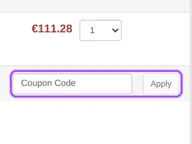
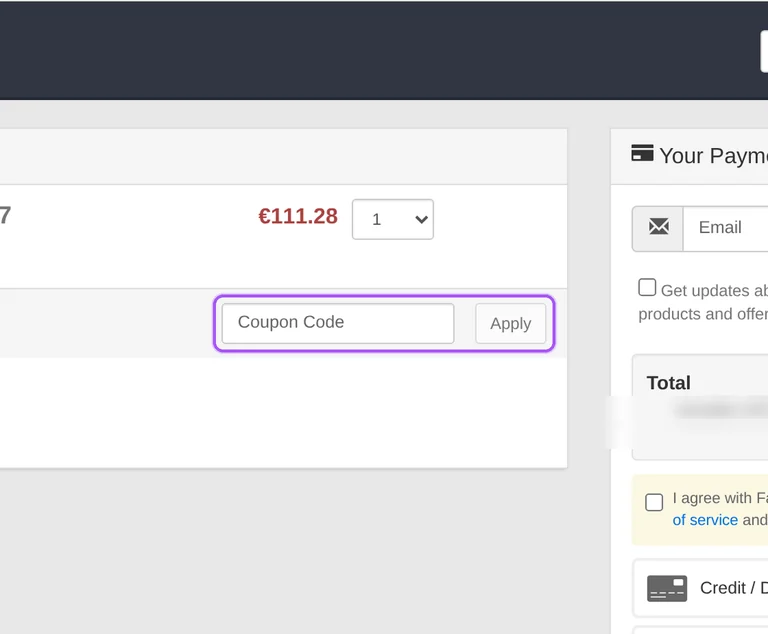
Yes. A Moneyspire coupon and a promo code are the same thing: paste the code in the promo field at checkout before you pay.
Similar SaaS & Business Coupons
Valid discounts from brands similar to Moneyspire.