Verified · Used
MyArcadePlugin Coupon & Promo Codes
Best verified offer: 10% off · 1 offer · last checked 10 Nov
Active MyArcadePlugin coupon codes
Expired Offers (May still work)
About MyArcadePlugin & Latest Deals
Get the latest Myarcadeplugin coupons, promo codes, and deals.
Savings opportunities available through MyArcadePlugin discount codes
MyArcadePlugin sells a WordPress arcade plugin, and this page helps you weigh offers against its paid license costs. Pro costs €59 a year, Ultimate €79 a year and Carefree €129 a year. One paid license covers unlimited installations on websites you own.
Service categories frequently on promotion
The paid purchase options are Pro, Ultimate, Carefree and Lifetime. Ultimate bundles MyArcadeTheme; Carefree adds full setup. Those inclusions change what a plan offer buys.
Impact of billing cycle on promotional price
Annual or one-time. Pro, Ultimate and Carefree are yearly purchases with automatic renewal. Lifetime costs €249 once, without renewals, so its upfront price buys a different license term.
Accessing active codes for MyArcadePlugin
The purchase buttons are Buy Pro, Buy Ultimate, Buy Carefree and Buy Lifetime. The selected license determines whether you buy an annual term or make a one-time payment.
How to use MyArcadePlugin Discount Codes?
Copy a MyArcadePlugin coupon or promo code, then paste it in the promo field at checkout.
- Choose a coupon
Grab the MyArcadePlugin offer that works best for you. It's listed above.
- Reveal the code
Hit "Get Code" or "Get Deal" depending on the offer type. Popup opens. Click the copy icon inside—code goes to your clipboard.
- Apply at checkout
Now head over to MyArcadePlugin's site. Pick your MyArcadePlugin Pro plan. Checkout page has a "Promo Code" field. Paste what you copied there.
MyArcadePlugin Discount FAQs
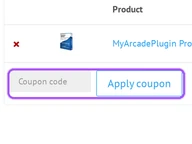
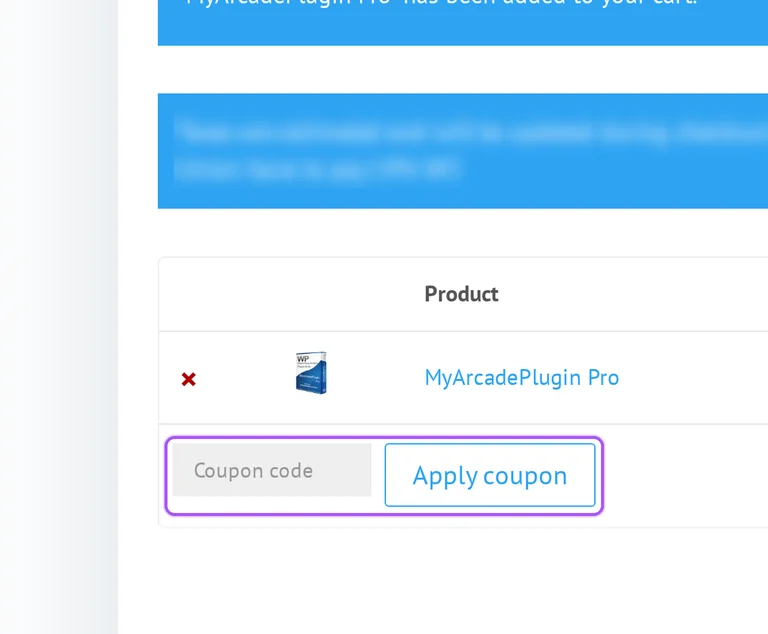
You can enter a MyArcadePlugin coupon in the cart or at checkout. The cart places the coupon entry beneath the product row, before the order totals. Its field is labeled Coupon, with an Apply coupon button beside it. At checkout, the Have a coupon? prompt opens the entry through Click here to enter your code. Apply the selected offer there before completing the purchase, then review the product subtotal, tax and total in the order summary. Annual purchases also display recurring totals separately from the initial order. This makes the first payment and the ongoing billing amounts visible in the same purchase flow. The cart button for continuing is Proceed to checkout.
MyArcadePlugin updates tax during checkout using your billing information. The cart states that European Union citizens pay 19% VAT and describes its initial tax calculation as an estimate. The order summary separates Subtotal, Tax and Total, so the product amount and tax charge appear on different lines. Enter your billing country during checkout before assessing what the discounted purchase will cost. For an annual license, recurring totals also separate the subtotal and tax from the recurring total. After purchase, a printable tax invoice is available from your MyArcade Account. The offers on this page should therefore be assessed against the complete order amount for your billing details. The final amount appears on the line labeled Total.
MyArcadePlugin allows upgrades from a lower-cost plan by charging the difference. The upgrade procedure is to contact the merchant and request the more complete version. On the pricing page, Pro includes the plugin with the FunGames theme, while Ultimate also includes MyArcadeTheme. Carefree adds the full setup service, and Lifetime includes Ultimate, all MyArcade themes and all MyArcade add-ons. These package differences give you specific options to discuss when upgrading a purchase made through the offers on this page. Pro, Ultimate and Carefree are annual licenses, whereas Lifetime has no renewals. For the upgrade itself, contact MyArcadePlugin rather than placing a separate full-price order for the higher package.
MyArcadePlugin Lite lets you try the plugin before making a paid purchase. Lite is a fully functional, limited version of Pro that you can use for as long as you like. The pricing page provides a Download MyArcadePlugin Lite - Free option separately from its paid purchase buttons. Its comparison lists basic game imports and limited HTML5 support for Lite, with advanced imports and HTML5 support in the paid packages. This lets you explore the basic workflow before selecting a paid license through the offers on this page. Paid purchases also have a 14-day money-back guarantee if the package is not the right fit. For the free starting point, select Download MyArcadePlugin Lite - Free.
Only the Lifetime option is a one-time purchase without renewals. Pro, Ultimate and Carefree are annual licenses that renew automatically to maintain updates and support. The purchase buttons are labeled Buy Pro, Buy Ultimate, Buy Carefree and Buy Lifetime, so the license choice determines the payment structure. The annual packages include one year of updates and support, while the Lifetime comparison lists lifetime coverage. Lifetime also includes MyArcadePlugin Ultimate, all MyArcade themes and all MyArcade add-ons. When considering the offers on this page, distinguish the initial discount from the license duration attached to the package. For a purchase without annual renewals, the relevant option is Buy Lifetime.
MyArcadePlugin keeps working after an annual license expires, but updates and support stop until renewal. Pro, Ultimate and Carefree renew automatically to maintain that coverage. If automatic renewal has been disabled, the terms require manual renewal to restore updates, support and customer forum access. The cart displays Recurring totals separately from the initial order, which helps distinguish the discounted purchase amount from ongoing billing. License expiration does not prevent continued use of the installed product, so renewal concerns continued maintenance and assistance. Lifetime is the separate purchase option with no renewals. For annual licenses, the terms specify an email notification 14 days before expiration and an additional notification after the license expires.
Send MyArcadePlugin an email describing your problem and requesting a refund. The terms allow unsatisfied customers to request their money back within 14 days after purchase. The refund address is contact@myarcadeplugin.com, and the request needs both the problem description and an explicit request for reimbursement. This gives you a direct route for a discounted purchase that does not fit your arcade site. The purchase page also describes the guarantee as a full refund within the same 14-day period. A printable tax invoice is available through your MyArcade Account after purchase if you need the purchase details while preparing your message. Send the request to contact@myarcadeplugin.com within the 14-day window.
MyArcadePlugin offers a full money-back guarantee for 14 days after purchase. The refund policy covers unsatisfied customers and directs requests to the merchant by email. The purchase page describes the guarantee as a full refund if the plugin is not the right fit for your arcade site. Its terms give the practical request procedure: describe your problem and explicitly request a refund. This is a period following a paid purchase, separate from the free Lite version available before buying. The same pricing page offers Pro, Ultimate, Carefree and Lifetime alongside the guarantee. For an order placed through the offers on this page, the published refund request deadline is 14 days after purchase.
Every paid MyArcadePlugin license allows unlimited installations on websites you own. The licensing terms describe usage across all websites owned by the licensee, rather than limiting the basic package to one site. The pricing comparison includes unlimited installations for Pro, Ultimate, Carefree and Lifetime. A purchase through the offers on this page can therefore be matched to the package contents instead of a single-site allowance. Pro, Ultimate and Carefree include one year of updates and support, while Lifetime provides lifetime coverage. The terms also restrict transferring the software or its rights to another person without prior written consent. For several sites you own, the relevant plan feature is Unlimited Installations, including on Pro.
MyArcadePlugin checkout lists PayPal, Direct Bank Transfer, Skrill Wallet, Visa and MasterCard. The order summary displays the selected product, subtotal, tax and total before the purchase is submitted. The payment area includes PayPal and Direct Bank Transfer alongside the other listed methods. For bank transfers, the order remains incomplete until the funds have cleared in the merchant's account. Annual licenses also show recurring totals, giving you a separate view of the ongoing charge alongside the initial purchase. Apply an offer through the coupon entry before moving to payment so the order summary reflects the purchase you intend to make. For Direct Bank Transfer, use the Order ID as the payment reference.
Yes. A MyArcadePlugin coupon and a promo code are the same thing: paste the code in the promo field at checkout before you pay.
Scroll up for the current MyArcadePlugin offers.


