Verified · Used
Wpvivid Coupon & Promo Codes
Best verified offer: 20% off · 5 offers · last checked 18 Nov
Active Wpvivid coupon codes
20%OFF
Get 20% off storewide at Wpvivid with this special offer, perfect for enhancing your backup and migration solutions.
Verified
Verified
About Wpvivid & Latest Deals
Wpvivid coupons and deals for WordPress backup, migration and related plugins.
Wpvivid discounts start with the WordPress plugin range
Wpvivid sells WordPress backup and migration plugins, and the offers on this page help you assess the purchase price. Its range includes Backup & Migration Free, Backup & Migration Pro, Staging & Dev Environment Pro, Database Merging Pro, MainWP Extension, Avif & Webp Converter (Free), and Image Optimization Pro. The Backup & Migration Pro prices below belong to that plugin range. They give you a specific starting point for judging a discount on the license you need.
Blogger through Ultimate: Wpvivid coupon plan examples
Wpvivid’s lifetime license ladder starts at $99 and ends at $299. Freelancer costs $139, while Small Business costs $199. These are one-time purchase prices, distinct from the yearly options.
Wpvivid yearly pricing runs from $49 to $149 per year
Wpvivid yearly licenses cost $49 for Blogger, $69 for Freelancer, $99 for Small Business and $149 for Ultimate. Lifetime licenses use a single payment instead. Blogger covers two domains; Freelancer covers up to ten; Small Business covers up to fifty; Ultimate covers unlimited domains. The license size and payment term both matter when assessing the offers on this page.
How to use Wpvivid Discount Codes?
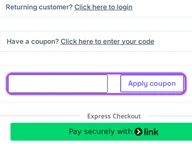
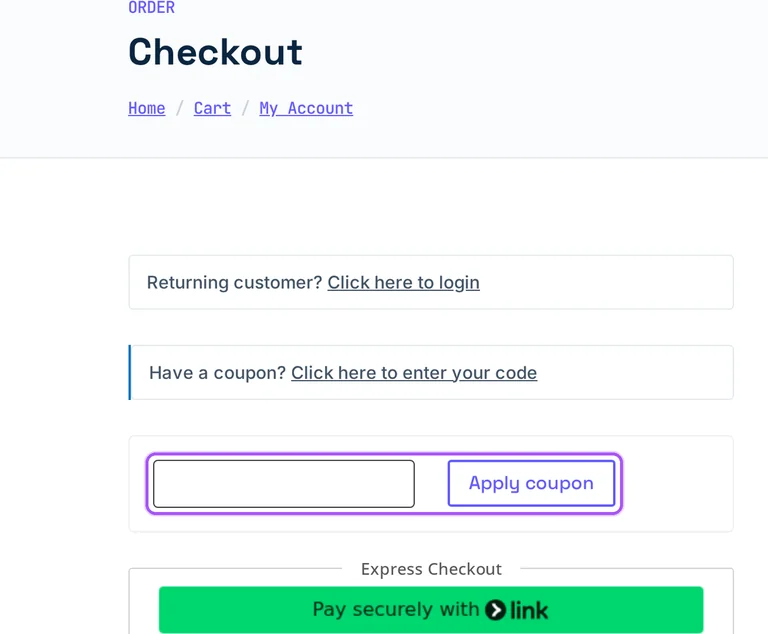
Copy a Wpvivid coupon or promo code, then paste it in the promo field at checkout.
- Choose a coupon
Grab the Wpvivid offer that works best for you. It's listed above.
- Reveal the code
Hit "Get Code" or "Get Deal" depending on the offer type. Popup opens. Click the copy icon inside—code goes to your clipboard.
- Apply at checkout
Now head over to Wpvivid's site. Pick your Blogger plan. Checkout page has a "Promo Code" field. Paste what you copied there.
Wpvivid Discount FAQs
Can I assess Wpvivid discounts on yearly and lifetime licenses?
Wpvivid has separate yearly and lifetime list prices to compare with a discount. Freelancer costs $69 per year at full price. Its lifetime option costs $139 as a one-time payment. These are different payment commitments, so the relevant starting price depends on which term you select.
Is a Wpvivid referral link the same as a promo code?
No, a Wpvivid referral link belongs to its affiliate programme. Applicants receive a unique referral link, and the affiliate earns commission on qualifying sales within 90 days after a click. That reward goes to the affiliate. It is separate from the coupon calculations shown alongside plan prices.
What is the Wpvivid Blogger price before a coupon?
Wpvivid Blogger costs $49 per year before any coupon reduction. That price belongs to Backup & Migration Pro and covers two domains. The Blogger lifetime license has a separate $99 one-time price. A yearly purchase and a lifetime purchase therefore start from different list totals.
Which Wpvivid plans appear in its coupon examples?
Wpvivid coupon examples cover Blogger, Freelancer, Small Business and Ultimate. They sit within the Backup & Migration Pro range. The examples show each tier at its full price alongside a coupon calculation. That gives you four named license tiers to match against the offers on this page.
Does Wpvivid accept promo codes as well as coupons?
Yes. A Wpvivid coupon and a promo code are the same thing: paste the code in the promo field at checkout before you pay.


