Used
NordLocker Coupon & Promo Codes
2 offers listed
Active NordLocker coupon codes
Used
Expired Offers (May still work)
About NordLocker & Latest Deals
NordLocker sells encrypted cloud storage and file encryption, with end-to-end protection and a free 3GB plan to start.
Learn more about NordLocker and their latest offers.
How to use NordLocker Discount Codes?
Copy a NordLocker coupon or promo code, then paste it in the promo field at checkout.
- Choose a coupon
Grab the NordLocker offer that works best for you. It's listed above.
- Reveal the code
Hit "Get Code" or "Get Deal" depending on the offer type. Popup opens. Click the copy icon inside—code goes to your clipboard.
- Apply at checkout
Now head over to NordLocker's site. Pick your Cloud Storage plan. Checkout page has a "Promo Code" field. Paste what you copied there.
NordLocker Discount FAQs
Does NordLocker offer a money-back guarantee on discounted purchases?
NordLocker offers a 30-day initial-purchase guarantee with exclusions, including payments made using partner promo codes. Prepaid-card and gift-card payments are also non-refundable, so the payment method and offer type matter before buying. App Store purchases follow Apple's refund policies and must be handled by its support team. Recurring payments are not refunded when cancellation happens after renewal, unless applicable law provides otherwise. For an eligible direct purchase, contact NordLocker customer support within the first 30 days to request your refund. Cryptocurrency refunds use the same cryptocurrency, with the equivalent US-dollar amount calculated at processing. The deadline runs from your initial purchase, rather than from the day you cancel auto-renewal.
Where do I enter a NordLocker coupon during checkout?
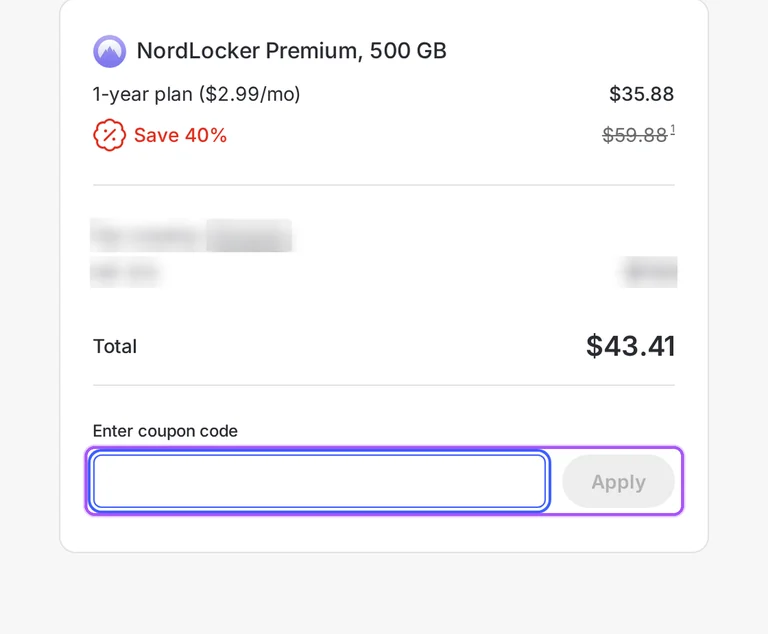
NordLocker provides a coupon option in its checkout order summary. Start by selecting your subscription duration and storage plan, then continue to the purchase page. The coupon control is labeled Got a coupon? and appears beneath Total in the Order summary section. That summary identifies the NordLocker Premium storage tier and subscription term, so you can match the purchase to the offer you selected. Checkout also asks for the email address for your Nord Account and offers optional extra services. The displayed order includes its savings alongside the selected plan; use the offers on this page for the purchase you want. The coupon entry starts from the Got a coupon? button beneath the total.
How long does a NordLocker introductory discount last?
NordLocker introductory discounts last for the first subscription period. These offers are for new customers, and the subscription renews automatically at the then-applicable renewal price unless you cancel. The plan selector offers 1-year and 1-month subscriptions, so the billing term matters when comparing the offers on this page. NordLocker calculates advertised savings against the current annual renewal price expressed as a monthly amount, rather than simply comparing annual and monthly subscriptions. Renewal prices can be higher and can change; VAT may also apply. Annual renewal payments can be collected up to 14 days before renewal. For subscriptions longer than one month, NordLocker sends a notification email before processing the renewal charge.
What happens to files when my discounted NordLocker storage plan ends?
You can continue using NordLocker for local encryption after your paid storage plan ends. NordLocker keeps your account and files when the storage subscription expires. Its storage-limit rules also explain that cloud synchronization becomes limited when you run out of available space, until you free up storage or upgrade. To see your storage position, open Web Access, sign in to your Nord Account, and unlock your storage. The Profile button is in the upper-left corner, and the Account section shows your remaining cloud space. That gives you a concrete storage figure before deciding whether to buy another plan through the offers on this page. Remaining cloud space is synchronized across your devices.
How do I request a refund for a NordLocker offer purchase?
You must contact NordLocker support to request an eligible refund. The initial-purchase guarantee has a 30-day deadline, and payments made using partner promo codes are non-refundable. The Help Center provides live chat and an email form for contacting the support team. Select Email us, enter your email address, and explain your refund request in the Problem description field. The form allows an optional JPEG or PNG attachment and sends the response to the address you provide. NordLocker states that its support team replies to email requests within 24 hours. Canceling an ongoing subscription does not itself refund unused time. For the email request, the final form button is labeled Submit.
Can I start with NordLocker Free before buying a discounted storage upgrade?
You can start with NordLocker's free 3 GB plan before purchasing more cloud storage. The free plan requires no credit card and includes local encryption, so you can begin storing files before selecting a paid offer. NordLocker provides 500 GB and 2 TB Premium storage options for a larger allowance. To move from your existing storage to a paid plan, open Web Access, sign in to your Nord Account, and unlock it. Under Profile, the Account section shows your remaining space. Selecting Upgrade storage takes you to NordLocker's pricing page, where you can choose an available deal and complete the purchase. The upgrade control is labeled Upgrade storage in Web Access.
Can I access a discounted NordLocker subscription on my Mac?
You can access NordLocker on your Mac through a web browser. Web Access works without installing an app, and NordLocker lists Safari, Chrome, Firefox, and Edge among its supported browsers. After buying your storage plan, open the cloud service in your preferred browser and use your NordLocker account. The setup includes a Cloud password used for encryption, and your files can synchronize across devices through cloud storage. NordLocker also provides Windows, Android, and iOS access, so the cloud service supports moving between desktop and mobile devices. This access method lets you use the storage purchased through an offer from a Mac browser. The website's Open Cloud link starts browser access.
Is NordLocker included in discounted NordVPN bundle plans?
NordLocker is included in NordVPN bundle plans that list cloud storage. NordVPN's Complete and Ultra plans each include 1 TB of cloud storage, alongside their other listed services. That allowance differs from NordLocker's standalone Premium storage tiers, so the bundle's storage amount matters when selecting an offer. NordLocker's purchase guide provides a route to those bundles as well as its own subscription plans. If you later request a refund for a bundle deal, NordLocker's refund policy requires refunding the whole bundle; a partial bundle refund is unavailable. Refunding it removes access to all included products. The cloud-storage allowance listed for both Complete and Ultra is 1 TB.
Can I stop auto-renewal after buying NordLocker with a discount?
You can cancel NordLocker auto-renewal at any time. Your service remains available until the end of the subscription period you have already paid for. In Nord Account, open Billing on the left, locate NordLocker under Subscriptions, and select Cancel. Canceling during an ongoing service period does not produce a refund for its unused portion. If you want a refund instead, NordLocker handles that through a separate customer-support request under its refund policy. You can also inspect your subscription through Products and services by opening View details beside NordLocker. This lets you identify the subscription purchased with the offer before changing its renewal setting. The cancellation button is labeled Cancel.
Which payment methods can I use for a discounted NordLocker subscription?
NordLocker accepts cards, PayPal, digital wallets, bank transfers, and cryptocurrency, with availability depending on your region. Its purchase options include Google Pay, Apple Pay, and Sofort through Klarna, alongside prepaid debit cards and app-store payment routes. After choosing your subscription duration and plan, enter the email address for your Nord Account. Optional extra Nord Security products can be added before selecting a payment method. Enter the details required by the method shown for your region, then complete the order for your selected offer. NordLocker sends the purchase confirmation to your registered service email address. The button that submits the payment information is labeled Complete purchase in NordLocker's purchase instructions.
Does NordLocker accept promo codes as well as coupons?
Yes. A NordLocker coupon and a promo code are the same thing: paste the code in the promo field at checkout before you pay.


