Verified
RoseHosting Coupon & Promo Codes
Best verified offer: 10% off · 16 offers · last checked 29 Oct
Active RoseHosting coupon codes
46%OFF
Get 46% off Nvme 1 Vps at RoseHosting.com by clicking on 'Get Your Vps' and applying the code.
10%OFF
Save 10% on web hosting services at RoseHosting.com with this special coupon code, valid now.
20%OFF
Save 20% off RoseHosting fully-managed WordPress hosting plans, offering superior performance and expert support for your website needs.
Expired Offers (May still work)
20%OFF
Save 20% on select items at RoseHosting.com when you apply this promotional code at checkout today.
50%OFF
RoseHosting.com sitewide offers a 50% discount for all products when you use this special code during your purchase.
About RoseHosting & Latest Deals
<h2>How to Use a RoseHosting Coupon Code?</h2> <ul> <li>Choose a coupon and click <strong>Get Coupon code</strong>.</li> <li>Click <strong>Copy</strong> to copy your coupon to clipboard.</li> <li><strong>Click Redeem Offer</strong></li> <li>At RoseHosting select a Web Hosting or VPS plan.</li> <li>On order page you can see on the right "Use promotional code", click it and paste the coupon you have copied from our website.</li> <li>Your discount will appear automatically in Cart summ...
About RoseHosting Deals
The Deal Reality
RoseHosting claims to be the first "Commercial Linux VPS" in the world. The Verdict: They are expensive but arguably offer the best "Fully Managed" service. They will literally install specific software for you, unlike others who just reset your password.
Timing & Pattern Analysis
They don't often run massive sales. Price Lock: Their defining feature is that they don't hike prices on renewal. The price you sign up with is your price for life (usually).
The Mechanics
Truly Managed: Most "Managed" hosts just update cPanel. RoseHosting will debug your slow MySQL query. You pay a premium for this.
RoseHosting vs Competitors
Choose RoseHosting if you are a business owner who never wants to look at a terminal. Choose Vultr if you want to save money and manage it yourself.
How to use RoseHosting Discount Codes?
Copy a RoseHosting coupon or promo code, then paste it in the promo field at checkout.
- Choose a coupon
Grab the RoseHosting offer that works best for you. It's listed above.
- Reveal the code
Hit "Get Code" or "Get Deal" depending on the offer type. Popup opens. Click the copy icon inside—code goes to your clipboard.
- Apply at checkout
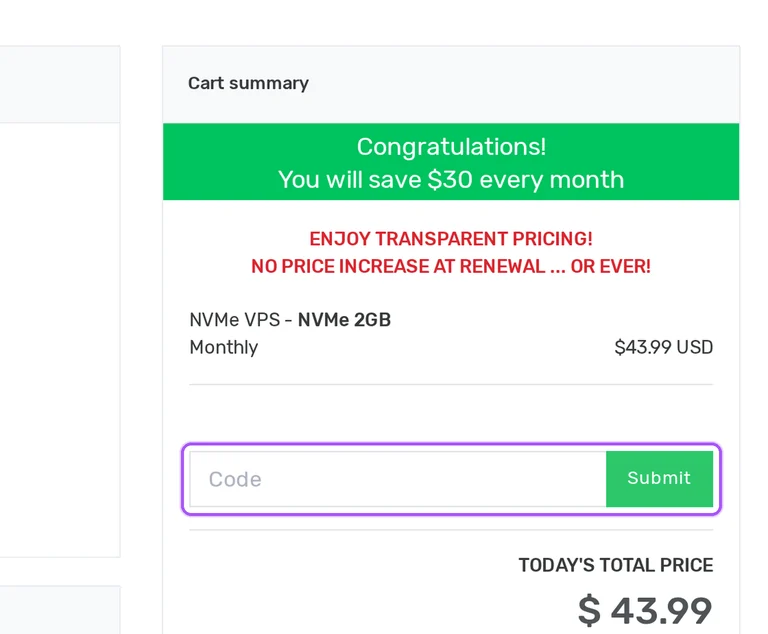
Now head over to RoseHosting's site. Pick your Linux VPS plan. Checkout page has a "Promo Code" field. Paste what you copied there.
RoseHosting Discount FAQs
Will RoseHosting migrate my websites with a discounted VPS purchase?
RoseHosting includes free, unlimited inbound website migrations with its Linux VPS plans. The migration service covers websites, databases, emails, files and supported software stacks, including transfers from multiple servers. Your destination VPS needs enough storage for the data being moved; otherwise, a larger plan or a smaller transfer is necessary. After ordering, submit a support ticket in the Client Area with access to the existing server and a list of services to migrate. RoseHosting's team plans the move with you and provides a preview link before you approve completion. Services with continuously changing data may need downtime during migration. Once the move is approved, point your DNS records to the new server's IP address.
How do I cancel a discounted RoseHosting subscription before another renewal?
You can initiate cancellation of a RoseHosting service through the client area at any time. Cancellation takes effect at the end of the current billing cycle, while recurring charges continue until the payment authorization is terminated with confirmed receipt. A service otherwise renews for another term of equal length, so the billing cycle selected for your discounted purchase also determines the next term. A refund requires both cancellation and a refund request within the first 30 days after provisioning. Later payments are final under the refund policy. When cancellation takes effect, the service and its backups are permanently deleted and cannot be restored. Copy any data you need before the current billing cycle ends.
Where can I apply a RoseHosting promo code during my VPS order?
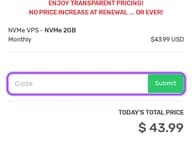
You can enter a RoseHosting promo code in the cart summary during VPS configuration. The order starts with your hosting plan, billing cycle and server settings, including the operating system and optional services. In the cart summary, select Use promotional code, enter the offer and press Submit. The annual VPS offer can also arrive through the plan's order link, with its promotional discount already listed in the summary. That summary shows the selected plan, billing term, discount amount and Today's Total Price. Paid control panels, extra backups and other selected services can add to the hosting charge. The NVMe 2GB configuration places the Continue button before the cart summary.
How does RoseHosting's annual VPS deal change what I pay upfront?
RoseHosting's annual VPS deal requires payment for 12 months upfront. The NVMe 2GB annual order lists a $527.88 hosting charge and a $52.79 promotional discount, bringing the displayed total to $475.09. That is the annual payment for this configuration, rather than a charge collected each month. The separate monthly option lists $43.99 per month, and the annual offer is attached to the yearly plan's order link. Optional control panels, backup upgrades and other selected services can add charges, while applicable tax is handled under RoseHosting's billing terms. In Product Configuration, the billing selector is labelled Choose billing cycle. The annual order summary identifies the term as Annually and shows $475.09 under Today's Total Price.
Does a discounted RoseHosting VPS include uptime compensation?
RoseHosting VPS plans include a 100% uptime SLA with credits for qualifying unscheduled downtime. The credit equals ten times the covered downtime, calculated from your monthly recurring service charge using a 720-hour month. Compensation cannot exceed the monthly recurring charge for the affected service, and scheduled maintenance is excluded. Your account must be in good standing, without unpaid invoice history or policy breaches. Downtime is measured from your support ticket until its resolution, and a support staff member must confirm the outage. Send the credit request to billing@rosehosting.com with a copy of, or reference to, that initial ticket. Approved credit goes toward your next invoice; compensation requests must arrive within seven days of the incident.
Do I need a paid control panel for a discounted RoseHosting managed VPS?
RoseHosting includes fully managed support and root access with or without a paid control panel. Its administrators manage server software, configuration and troubleshooting as part of the hosting plan. During Product Configuration, expand Other Server Options to reach the Control Panel choices. The NVMe 2GB order offers free options, including CloudPanel, Hestia Panel and DirectAdmin Plus, alongside paid DirectAdmin and cPanel/WHM licences. Selecting a paid licence adds its displayed charge to the VPS purchase, while choosing None still includes managed support. Control-panel licences are non-refundable under RoseHosting's service terms. Decide on the panel before provisioning: adding or removing one afterward requires a full server wipe and reinstall.
Which payment methods can I use for a discounted RoseHosting VPS?
RoseHosting accepts major credit cards, debit cards and PayPal for hosting purchases. Its VPS payment options include Visa, Mastercard, Discover and American Express, and invoices must be paid in US dollars. PayPal payments are limited to one RoseHosting account per PayPal account. Your selected billing cycle determines the recurring payment schedule, with payments automatically collected on the due date. Applicable taxes are your responsibility, and RoseHosting collects VAT where required, including the UK and EU. Collected tax is shown on the invoice, so the hosting discount and any tax are separate parts of what you pay. If you are VAT exempt, contact the billing department to adjust your VAT status.
Is 24/7 support included in a discounted RoseHosting VPS plan?
RoseHosting includes round-the-clock managed support at no additional charge with every VPS. You can contact its Linux administrators through email, live chat or the ticket system, including during holidays. The support service covers software running natively on Linux, with setup, configuration, tuning and troubleshooting included in the plan price. Assistance also extends to fixing server issues caused by user error. At checkout, the Pre-Install Preferences field lets you describe software and configuration you want prepared on your server. After purchase, support tickets can be submitted through the client area, where higher-priority tickets take precedence. For software you need ready at deployment, put the installation details in Pre-Install Preferences when placing the order.
Can I request a RoseHosting refund after buying hosting with a discount?
RoseHosting allows service refunds when cancellation and refund requests arrive within 30 days of provisioning. Both requests must fall within that window; other invoices and payments are final and non-refundable. Domain registrations, renewals and transfers, SSL certificates, cPanel/WHM and other control-panel licences are excluded, along with cloud balance refills. Those exclusions matter when your discounted hosting order includes separately charged extras, because the service refund does not cover every item you purchase. You can initiate service cancellation through the client area, and cancellation takes effect at the end of the current billing cycle. For the refund deadline, count the 30 days from when RoseHosting provisioned the service.
What happens to my discounted RoseHosting VPS rate at renewal?
RoseHosting keeps the VPS service rate agreed at purchase for as long as that service remains active. Monthly fees and renewal fees are billed at that agreed rate, and the service renews for a term of equal length unless terminated. The VPS cart also displays its promise of no price increase at renewal. Optional third-party services have a separate condition: control-panel licences, web-server licences, domains, SSL certificates and similar add-ons can change price when vendor costs increase. That distinction matters when your discounted order combines hosting with paid extras. Recurring payments are collected automatically on the due date. RoseHosting denominates invoices in US dollars and renews the billing cycle on the original signup or invoice date.
Does RoseHosting accept promo codes as well as coupons?
Yes. A RoseHosting coupon and a promo code are the same thing: paste the code in the promo field at checkout before you pay.


