30%OFF
Get 30% off your first year on SymbolHost Shared Hosting Plans, apply this coupon code at checkout now.
Used
No active Symbol Host codes right now. The most recent ones are below.
Get 30% off your first year on SymbolHost Shared Hosting Plans, apply this coupon code at checkout now.
Used
Symbol Host coupons and deals for shared web hosting.
Symbol Host sells web hosting, and the offers on this page help you assess discounts against its advertised shared-hosting prices. Newbie starts at $12 a year alongside a regular $24 price. That is an annual hosting price, rather than a monthly amount. The distinction matters when assessing a Symbol Host promo code: the advertised annual amount is the relevant starting figure for that plan. The regular figure provides a separate reference for the price reduction already presented with Newbie. The difference between those two Newbie figures is $12. For Starter, the gap between $20 and $40 is $20. For Professional, $36 against $70 leaves a $34 difference. Those amounts describe the advertised price pairs themselves, rather than an extra saving from entering a coupon. Professional has the largest dollar difference of the three advertised pairs.
Three shared-hosting plans have paired prices: Newbie, Starter and Professional. Starter is advertised at $20 a year against a regular $40. Professional is advertised at $36 a year against a regular $70. These are distinct plan prices, so a discount for one plan needs to be assessed against that plan's amount. A Professional offer and a Starter offer begin from different annual charges. The offers listed on this page belong alongside those named plans and their respective prices.
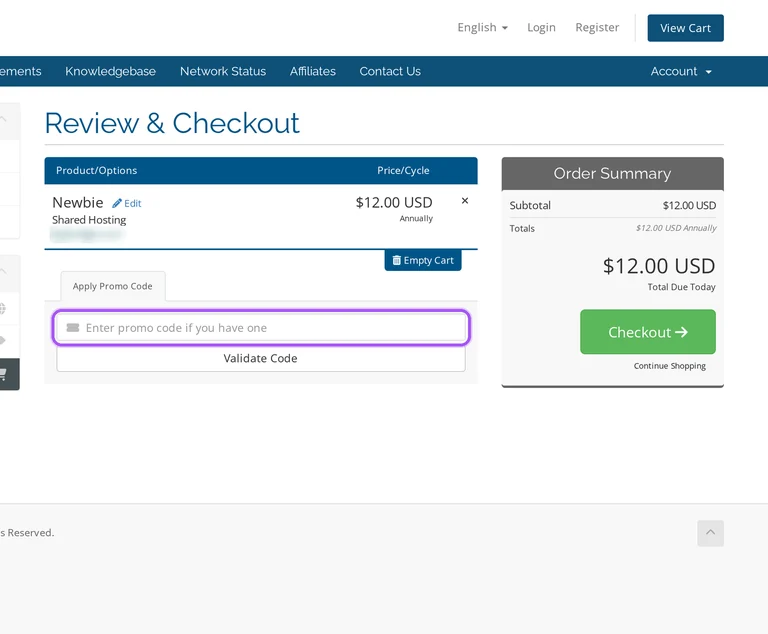
The cart has an Apply Promo Code section and a separate Total Due Today amount. Its billing totals distinguish Monthly, Quarterly, Semi-Annually, Annually, Biennially and Triennially. Those labels identify separate billing periods in the cart; they are not a list of products included in a discount. The code entry and order total are the useful checkout reference points when assessing an offer for the selected hosting order.
Annual means a year. The advertised $12 Newbie, $20 Starter and $36 Professional amounts each carry a yearly billing label. They should therefore be read as annual plan prices when assessing a discount, rather than as prices charged every month. The cart also separates annual totals from monthly and longer billing totals. A monthly figure and an annual charge measure different periods; the annual shared-hosting offer is tied to the yearly price shown for its named plan.
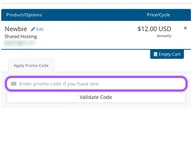
A typed code has a dedicated entry point: Apply Promo Code, followed by Validate Code. The advertised shared-hosting reductions provide a different reference: each plan has a selling price alongside its regular price. A regular price is a comparison figure, while the promo-code field is a checkout control. Keeping those two roles separate makes the offer easier to assess without treating the regular amount as the amount due today. The cart labels the payable total Total Due Today.
The promo-code step is inside the Symbol Host shopping cart. Enter an offer in Apply Promo Code and select Validate Code; the order summary includes the billing-period totals and Total Due Today in USD. For the advertised shared-hosting deals, the named annual plans are Newbie, Starter and Professional. Their yearly price labels provide the billing context for assessing the offers.
Grab the Symbol Host offer that works best for you. It's listed above.
Hit "Get Code" or "Get Deal" depending on the offer type. Popup opens. Click the copy icon inside—code goes to your clipboard.
Now head over to Symbol Host's site. Pick your Newbie plan. Checkout page has a "Promo Code" field. Paste what you copied there.
Scroll up for the current Symbol Host offers.
Valid discounts from brands similar to Symbol Host.


