Get the latest Metabox coupons, promo codes, and deals.
Savings opportunities available through Meta Box discount codes
Meta Box sells WordPress custom-field extensions, and this page helps you pay less by considering the offers on this page. The core plugin is free. Paid bundles start with Basic at $49 a year for one site; Ultimate costs $99 a year for three sites.
Service categories frequently on promotion
Bundle choice comes first. Basic includes 12 PRO extensions, while Ultimate includes all PRO extensions and future PRO extensions. Meta Box directs discount enquiries to its bundle pricing; the plan's site allowance matters alongside any offer.
Impact of billing cycle on promotional price
Annual or lifetime. Annual bundles include one year of updates and support. Personal Lifetime costs $299 once for three sites, with lifetime updates and support. Agency Lifetime costs $699 once. Neither Lifetime purchase has a renewal payment.
Accessing active codes for Meta Box
Personal and agency bundles have separate purchase options. Select the relevant bundle's Buy now button to start the order. Annual licenses last one year; Lifetime has no time limit.
How to use Meta Box Discount Codes?
Copy a Meta Box coupon or promo code, then paste it in the promo field at checkout.
Choose a coupon
Grab the Meta Box offer that works best for you. It's listed above.
Reveal the code
Hit "Get Code" or "Get Deal" depending on the offer type. Popup opens. Click the copy icon inside—code goes to your clipboard.
Apply at checkout
Now head over to Meta Box's site. Pick your Custom Post Types plan. Checkout page has a "Promo Code" field. Paste what you copied there.
Do I need a Meta Box paid offer to access migration tools?
Meta Box Lite includes migration tools at no cost, so a paid offer is not required just to access its migration features. Lite combines the Meta Box framework with all free extensions and includes a visual interface for custom fields, custom post types, taxonomies and relationships. The core framework on its own has no user interface, whereas Lite adds MB Builder and the free extension set in one plugin. Premium AIO adds both free and premium extensions for projects that need the paid features. To install Lite, download it from Meta Box and upload it through Plugins > Add New Plugin > Upload Plugin. Activate Lite after installation; its framework is already included.
Will a Meta Box promotional price continue at annual renewal?
Meta Box annual bundles renew at the regular price, so a promotional purchase price should not be treated as the renewal rate. Both personal and agency versions of Basic and Ultimate carry annual billing, with one year of updates and support included. The Lifetime Bundle instead uses a one-time payment and has no renewal. If an annual license expires, the product continues working, but access to support and updates ends. Meta Box also excludes renewal payments from its refund policy, which makes the billing term relevant before buying through an offer. When selecting Buy now, distinguish the annual Basic or Ultimate bundle from Lifetime's one-time payment.
Can I request a refund after a discounted Meta Box purchase?
Meta Box allows refund requests within 14 days of an extension purchase, but renewal payments are excluded. Its refund policy provides a full refund if you do not like the extensions, and its terms ask you to let support help resolve problems first. If the problem cannot be resolved, you can request the refund within that window. Purchased extension download links arrive by email, and your Meta Box account lists the plugins you bought. That account also provides links to purchase invoices, where you can enter company details and download a PDF. For a refund request involving an annual bundle, distinguish the original purchase from a renewal payment on the invoice.
Where do I enter a Meta Box coupon at checkout?
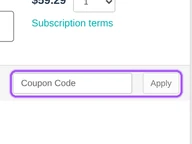
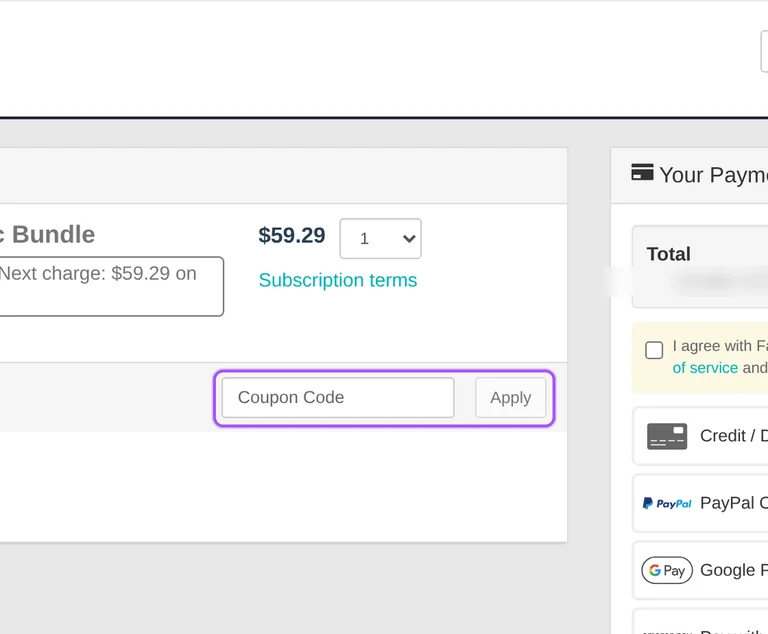
Enter a Meta Box coupon in the coupon field on the FastSpring checkout reached through the bundle's Buy now link. Meta Box provides separate purchase links for personal and agency bundles, so start with the bundle and license scope you intend to buy. The checkout includes a coupon entry control and an action to apply it, alongside the order summary. It also separates discount amounts, the subtotal and the order total, with tax information shown in the payment flow. A coupon entry belongs in that checkout control rather than in the WordPress license settings. Before completing a Personal Ultimate purchase, confirm that the order is for the three-site annual bundle.
How can I get Meta Box volume discounts for unlimited sites?
Contact Meta Box for tailored plans and volume discounts if your business falls outside the standard unlimited-site agency terms. Agency Basic, Ultimate and Lifetime bundles list unlimited sites, while Personal Basic covers one site and Personal Ultimate and Lifetime cover three. The agency unlimited-site provision excludes enterprises, hosting providers, SaaS companies, site maintenance providers and similar businesses. Bundling Meta Box into products sold to other people also requires contacting Meta Box for custom pricing. Agency subscriptions and one-time purchases support multiple licenses, including sub-licenses with their own website limits. Before using an agency offer for a site maintenance business, request the tailored plan through Meta Box's contact link.
What support comes with a discounted Meta Box purchase?
Meta Box annual bundles include one year of support, while Lifetime bundles include lifetime support. Support access depends on an active license, so the license term matters when comparing the offers on this page. Basic and Ultimate annual licenses also include one year of updates; the Lifetime Bundle has no license time limit. After payment, Meta Box creates an account using the email address supplied with the purchase. That account provides access to licenses and extension downloads, and you must sign in to open a support ticket in the support forum. For help with a discounted purchase, open the ticket through the account associated with your purchase email.
Which Meta Box discount offer fits an annual or lifetime purchase?
The Meta Box offer that fits your purchase depends on whether you need an annual license or a Lifetime Bundle. Annual Basic and Ultimate bundles provide one year of support and updates and renew at the regular price. Lifetime includes lifetime support, lifetime updates and no renewal, with all PRO extensions, future PRO extensions, AIO and all Solutions included. Personal Lifetime covers three sites, while Agency Lifetime lists unlimited sites subject to its business exclusions. The one-time payment removes future bundle renewal charges; it does not make the personal license an unlimited-site plan. Before following Buy now for a lifetime offer, select the Personal Plans or Agency Plans tab that matches your required site coverage.
Is a Meta Box coupon needed to get MB Builder?
MB Builder is included free with Meta Box Lite, so you do not need a coupon to obtain its visual field builder. Lite includes the framework and all free extensions in one plugin, while premium bundles add their specified paid extensions. In MB Builder, custom fields are organized into groups, and each group appears as a collapsible panel beneath the post editor. Open Meta Box > Custom Fields and select Add New to create a group, then enter its title and add the field types you need. A paid purchase becomes relevant for premium extensions required by particular settings. For conditional field visibility, compare a bundle's contents for MB Conditional Logic before selecting a paid offer.
How do Meta Box bundle offers compare with buying extensions separately?
Meta Box bundles group premium extensions into one purchase, with Basic covering 12 PRO extensions and Ultimate covering all PRO extensions. The free core framework can also be extended with individual free or premium extensions, so the required extensions determine which purchase makes sense. Ultimate includes future PRO extensions and the Meta Box All-In-One plugin, while Basic lists a smaller extension selection. AIO combines the framework and all free and premium extensions in a single plugin. On the pricing page, select Personal Plans or Agency Plans before following the relevant Buy now link. For an offer intended to cover AIO, compare Ultimate and Lifetime because AIO is exclusively included in those bundles.
How can I try Meta Box before buying through a discount offer?
You can start with the free Meta Box Lite plugin before purchasing a premium bundle through a discount offer. Lite includes the Meta Box framework, MB Builder and all free extensions, giving you a visual way to create custom fields and dynamic content. It is a free version rather than a time-limited premium license, and it does not include all premium features. Download Lite from Meta Box by supplying your email, then upload the file in WordPress through Plugins > Add New Plugin > Upload Plugin. Click Install Now and then Activate to begin. When your project needs paid extensions, compare their inclusion in Basic, Ultimate and Lifetime before opening the bundle's Buy now link.
Does Meta Box accept promo codes as well as coupons?
Yes. A Meta Box coupon and a promo code are the same thing: paste the code in the promo field at checkout before you pay.